SUMMARY:
This document shows one issue that "Unable to connect to Server" error message appears when attempting to add Web server into Strategy Operations Manager 10. This is because Strategy Operations Manager could not resolve the IP address of Health Agent. Add mapping of IP address to full machine name of Health Agent could resolve the issue.
SYMPTOM:
"Unable to connect to Server" error message appears when attempting to add Web server into Strategy Operations Manager 10.
STEPS TO REPRODUCE:
1. Suppose two machines with all Strategy 10 products installed are in different domains as below:
2. In Health Center Console, MHA connects to HA without any problem as shown below:

3. In Operations Manager in VM1, create new environment and type IP of VM2 into Intelligence Server Name. Test Connection and error appears as below:
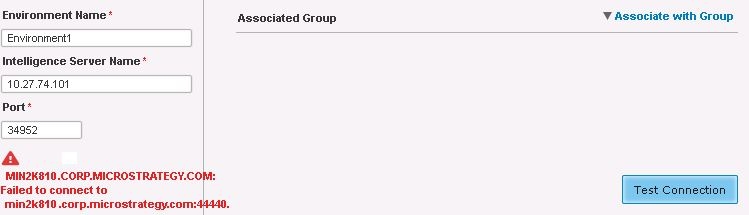
MIN2K810.CORP.Strategy.COM:
Failed to connect to
min2k810.corp.Strategy.com:44440.
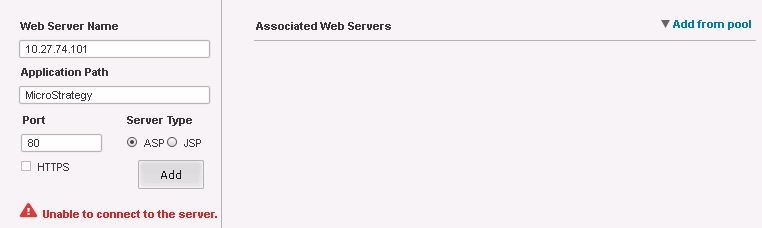
Unable to connect to the server
10.27.74.101 min2k8941.corp.Strategy.com
