EducationSoftwareStrategy.com
StrategyCommunity

Knowledge Base

Product

Community

Knowledge Base

TopicsBrowse ArticlesDeveloper Zone

Product

Download SoftwareProduct DocumentationSecurity Hub

Education

Tutorial VideosSolution GalleryEducation courses

Community

GuidelinesGrandmastersEvents
x_social-icon_white.svglinkedin_social-icon_white.svg
Strategy logoCommunity

© Strategy Inc. All Rights Reserved.

LegalTerms of UsePrivacy Policy
  1. Home
  2. Topics

KB255639: Derived metrics not displayed in object list in derived metric editor in MicroStrategy Web 10


Community Admin

• Strategy


Derived metrics not displayed in object list in derived metric editor in MicroStrategy Web 10

SYMPTOM
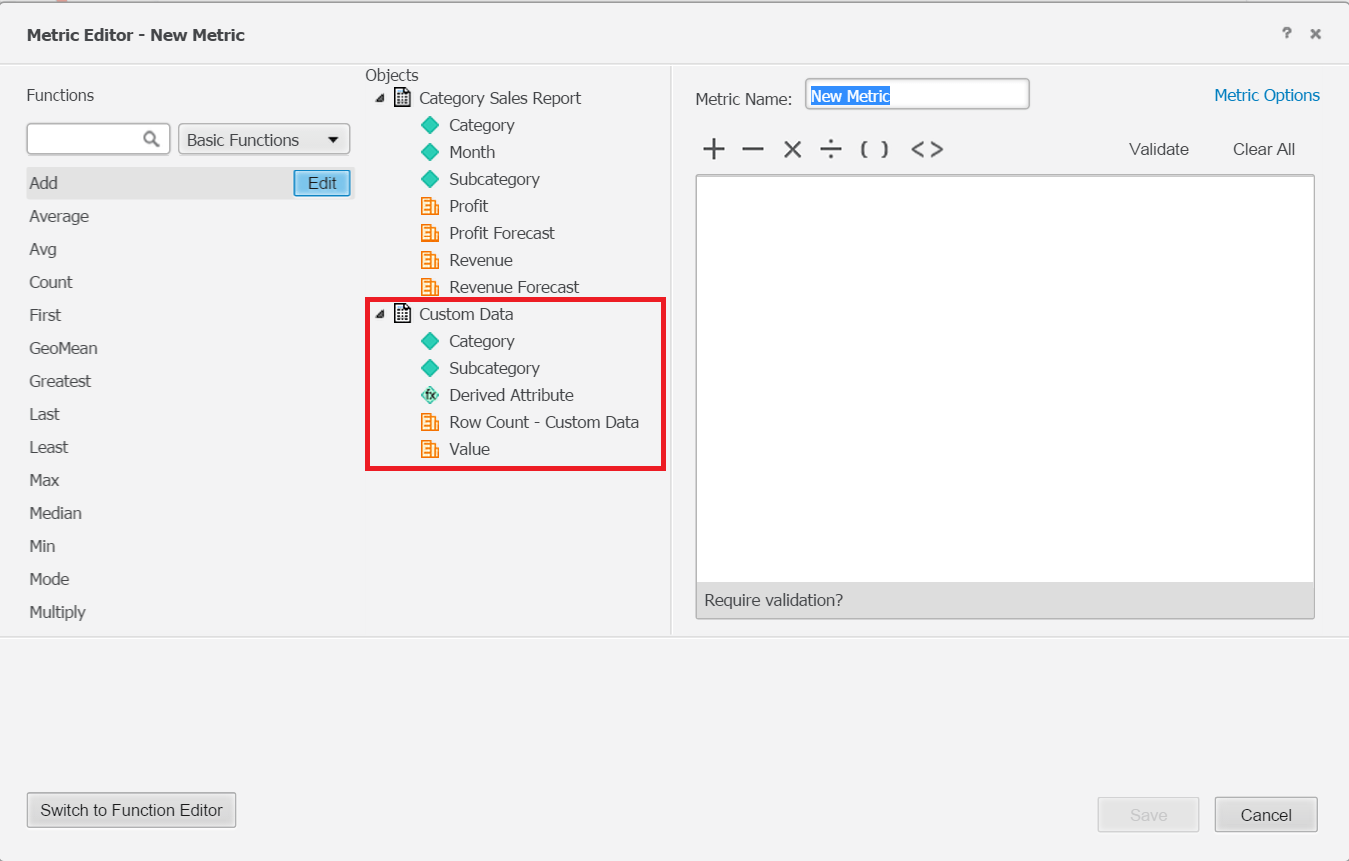
In Strategy Web 10, user is able to create derived metrics on fly using metric editor. In metric editor, existing derived metrics are not displayed under "Objects" pane.
 
STEPS TO REPRODUCE
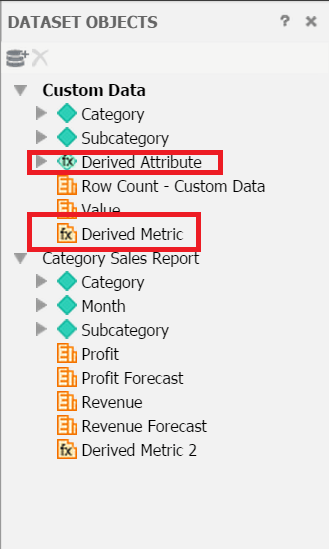
  • In Strategy Web, create a dashboard with a report dataset, insert one derived attribute and one derived metrics to that dataset, as shown below:
ka04W000000OhFsQAK_0EM4400000025bI.jpeg
  • Right mouse click one the dataset, choose to insert another new metric, which brings the metric editor window.
  • In the metric editor, note the derived metrics created in step1 is not shown in Objects pane, as shown below. Only the derived attribute created in step1 is shown.
    Metric Editor:
ka04W000000OhFsQAK_0EM4400000025bL.jpeg

CAUSE:
This is known issue in Strategy 10.
 
ACTION:
This issue has been fixed in Strategy Web 10.2. Take advantage of upgrading for a fix.
 
WORKAROUND:
Manually type the derived metric name in formula window, it will prompt you for the right metrics, as shown below:
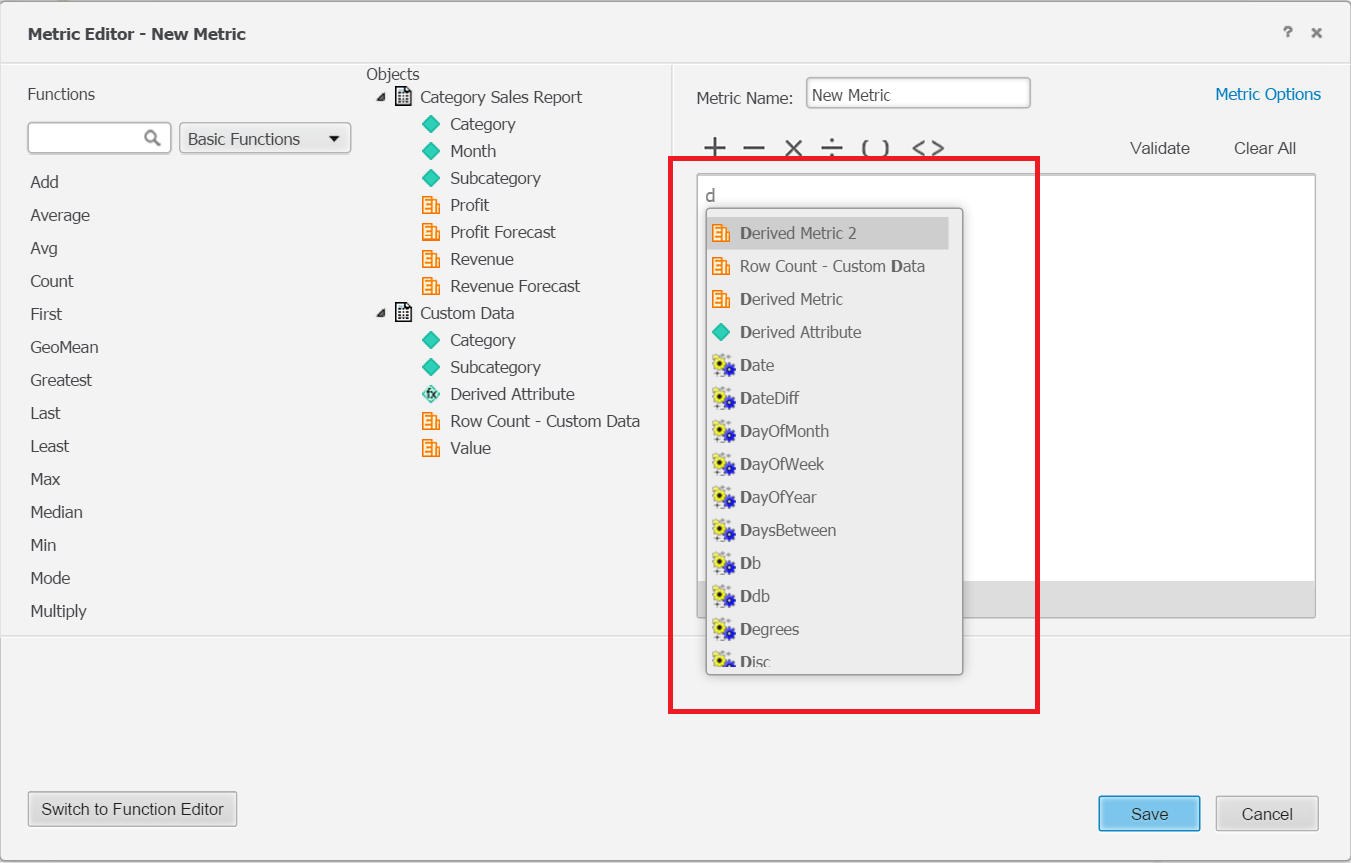
ka04W000000OhFsQAK_0EM4400000025bM.jpeg


Comment

0 comments

Details

Knowledge Article

Published:

May 29, 2017

Last Updated:

May 29, 2017