EducationSoftwareStrategy.com
StrategyCommunity

Knowledge Base

Product

Community

Knowledge Base

TopicsBrowse ArticlesDeveloper Zone

Product

Download SoftwareProduct DocumentationSecurity Hub

Education

Tutorial VideosSolution GalleryEducation courses

Community

GuidelinesGrandmastersEvents
x_social-icon_white.svglinkedin_social-icon_white.svg
Strategy logoCommunity

© Strategy Inc. All Rights Reserved.

LegalTerms of UsePrivacy Policy
  1. Home
  2. Topics

KB257180: Dashboards run in non-fullscreen Presentation Mode by default in MicroStrategy Web 10.1


Community Admin

• Strategy


Starting in MicroStrategy Web 10.1, HTML5 VI dashboards run in non-fullscreen Presentation Mode by default, making it easier for end users to consume dashboards. Prior to this version, dashboards launched in Full Mode by default. Design-related panels, for example the Datasets Panel, the Editor Panel, and the Visualization Gallery were visible

Starting in Strategy Web 10.1, HTML5 VI dashboards run in non-fullscreen Presentation Mode by default, making it easier for end users to consume dashboards.
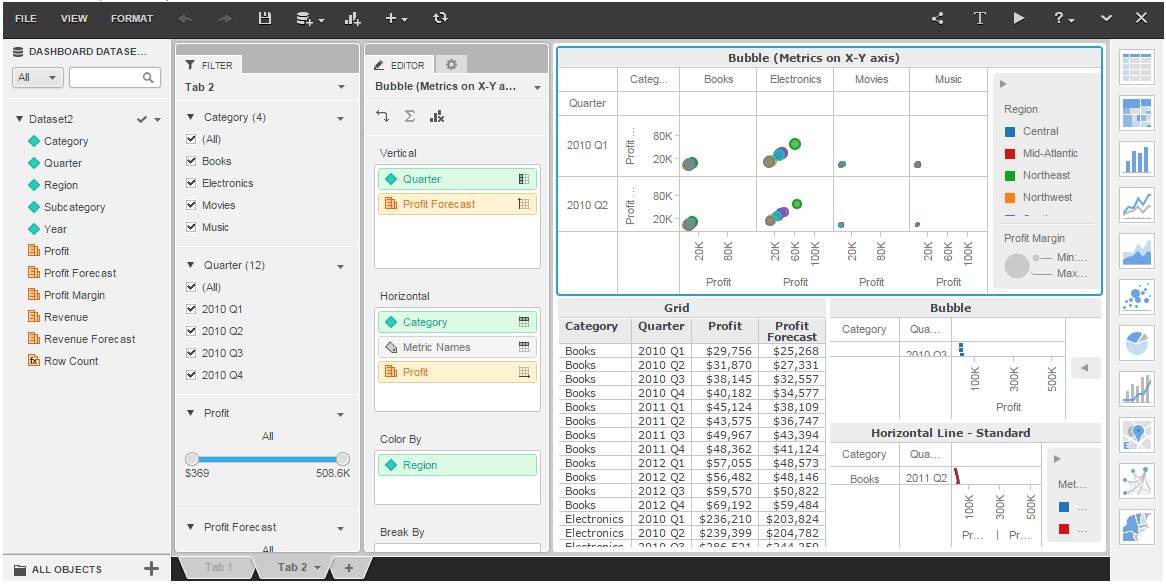
Prior to this version, dashboards launched in Full Mode by default. Design-related panels, for example the Datasets Panel, the Editor Panel, and the Visualization Gallery were visible, like shown below:
ka04W000000OcgFQAS_0EM4400000025bk.jpeg

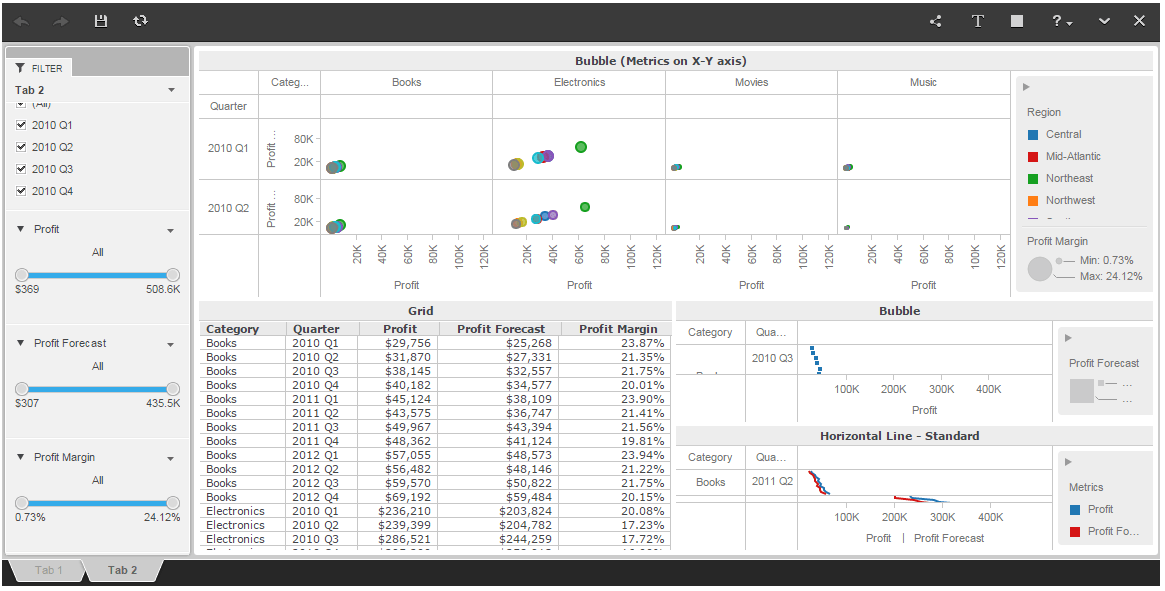
Starting in 10.1, dashboards launch in non-fullscreen Presentation Mode, hiding design-related panels and making it easier to end users to consume the dashboard content, like shown below:
ka04W000000OcgFQAS_0EM4400000025bR.jpeg

KB257180


Comment

0 comments

Details

Knowledge Article

Published:

April 25, 2017

Last Updated:

July 17, 2017