Oracle Big Data SQL is a technology which allows Oracle users to seamlessly access big data stored in Hadoop Distributed File System (HDFS), Apache Hive, Oracle NoSQL Database, and Apache HBase. Access to the data is achieved through the use of Oracle external tables in an Oracle database. To the SQL application the Big Data SQL external table appears as if it were a traditional Oracle table. The same SQL functionality that is supported in traditional Oracle tables is supported by the Oracle Big Data SQL external tables so the SQL sent to the Oracle database does not need to be modified to access the external tables.
Features
Benefits
More information about Oracle Big Data SQL can be found here: http://www.oracle.com/us/products/database/big-data-sql/overview/index.html
Overview
Benefits
Creating External Tables
Before Strategy can access Big Data using Oracle Big Data SQL the data needs to be configured in the Oracle Database in the form of external tables.
Oracle Big Data SQL (version 12.1.0.2 and higher) provides two new external table access drivers which allow Oracle users to query big data. The ORACLE_HIVE access driver provides the mechanism to query data stored in Apache Hive tables. It retrieves the table metadata information directly from the Hive metadata store. These tables can reside in Apache Hive, Apache HBase, and in Oracle NoSQL Database. The second driver, the ORACLE_HDFS access driver, does not require an existing Hive table but instead is able to access files stored in HDFS. There is no metadata information stored with these files (no metadata store) so this information must be provided in the external table definition statement (DDL).
Traditional indexes are not supported with Oracle external tables. To prevent the Oracle database from having to do a full table scan, Oracle has extended its SmartScan capabilities to Oracle Bid Data SQL via the Exadata storage server software on Oracle Big Data Appliance. The SmartScan feature uses the information found in the Hive metadata store to allow Oracle Big Data SQL to avoid a full table scan. SmartScan can locate and filter the data in Hive tables prior to sending results back to the Oracle database server. This can allow for much smaller data sets being sent to the Oracle database and reduces the network traffic between the Oracle server and big data source. Since the Hive metadata store is only available for Apache Hive tables the recommendation is to use the ORACLE_HIVE access driver for the best performance.
For more technical information about the Oracle Big Data SQL product refer to Oracle documentation: http://docs.oracle.com/cd/E63064_01/doc.42/e63062/bigsql.htm#BIGUG21115
Accessing Big Data in Strategy
Strategy accesses Oracle Big Data SQL via a connection to Oracle Database. One ODBC connection to the Oracle database provides access to both the traditional Oracle tables and the Oracle external tables. The Oracle Big Data SQL external table which resides outside of the Oracle database will appear as a normal table when Strategy connects to Oracle Database. Strategy will generate the same query syntax to external tables as when accessing regular tables. This provides a richer support for analytics pushdown to supported Big Data sources than when connecting directly.
Configuring access to Oracle Big Data SQL tables in Strategy Web
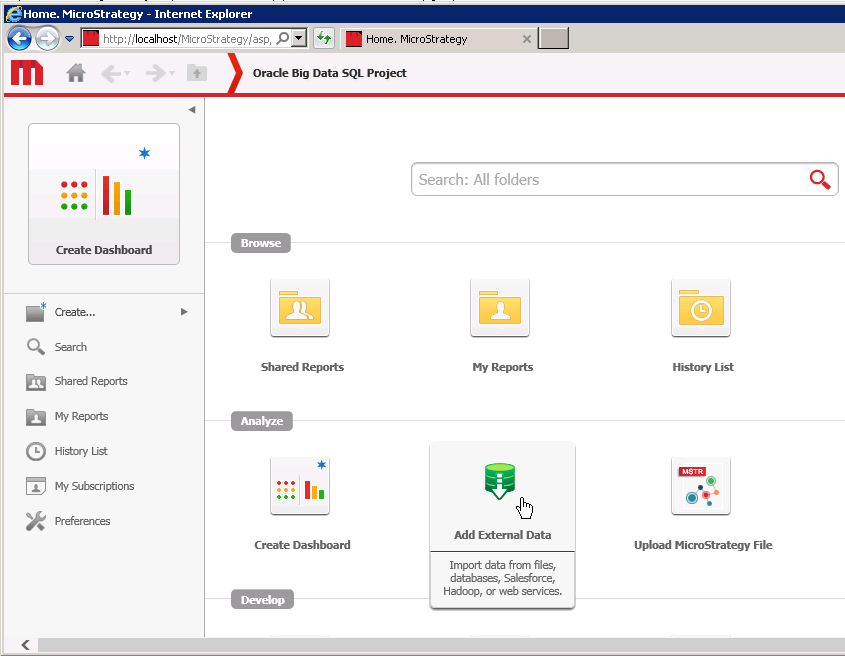
Strategy Web users can access Oracle Big Data SQL tables using Strategy Web and an ODBC connection. The ODBC connection can be DSN or DSN-less.
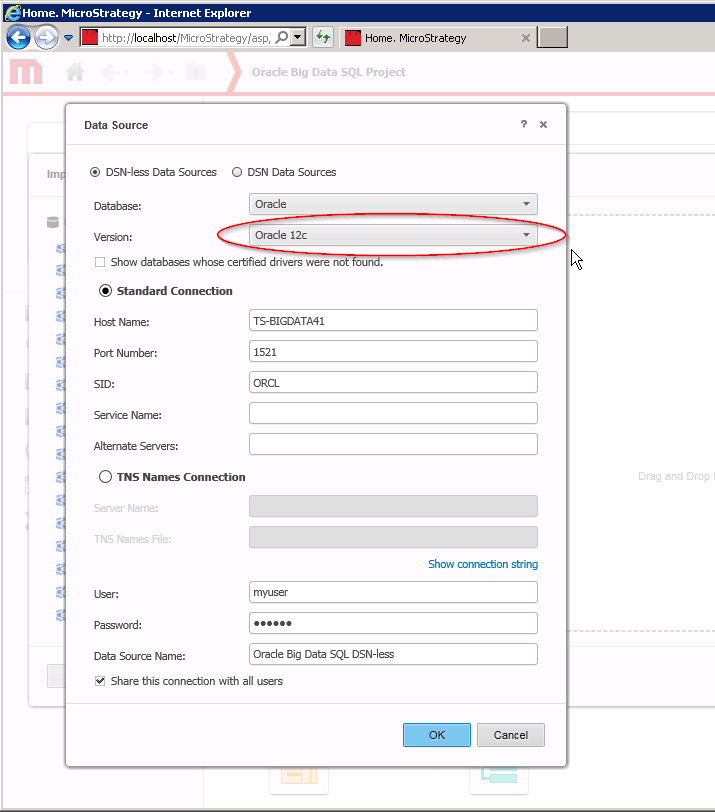
The following example illustrates how to use a DSN-less ODBC connection with the Strategy ODBC Driver for Oracle to access the Oracle database with the Oracle Big Data SQL feature.


The Oracle version should be ‘Oracle 12c’ or higher.
Strategy can also access Oracle Big Data SQL tables using the Strategy Developer client server tool.
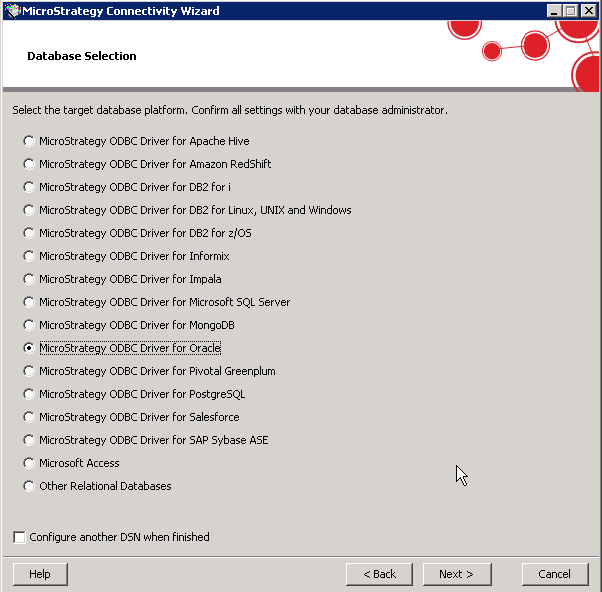
Prior to creating the new Strategy Database Instance in Strategy Developer, create an ODBC DSN which points to the Oracle 12c database with Oracle Big SQL feature. To create the DSN, use the Strategy Connectivity Wizard and choose ‘Strategy ODBC Driver for Oracle’ as the ODBC driver type.
Use the Database Instance Wizard to create the Strategy Database Instance. For the ‘Database type’ choose ‘Oracle 12c’. For the Strategy Database Connection choose the DSN that was created with the Strategy Connectivity Wizard.


When creating the new Strategy Project make sure to use the newly created Database Instance.


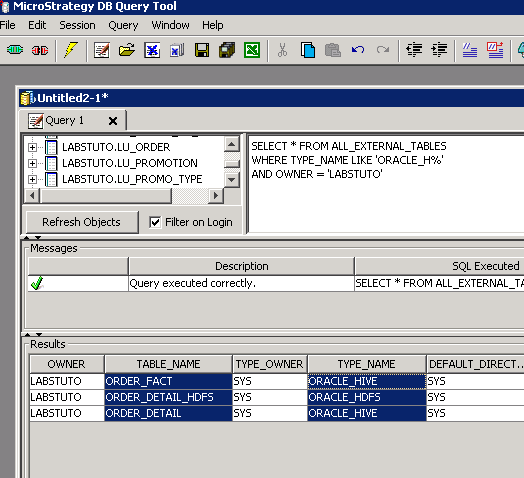
To determine which external tables in the Oracle database are using the ORACLE_HIVE or ORACLE_HDFS access drivers the following SQL can be executed from an ODBC query tool.
SELECT * FROM ALL_EXTERNAL_TABLES
WHERE TYPE_NAME LIKE 'ORACLE_H%'
AND OWNER = 'ORACLE_USER_NAME_HERE'
Sample results as seen from the Strategy DB Query tool using the Strategy ODBC Driver for Oracle. The TYPE_NAME provides the name of the Oracle access driver being used for the external table.