SYMPTOM:
A user can create a Report Services document or Visual Insight dashboard using several prompted reports. If the prompts across the reports are based on the same attribute, when executing the document or dashboard, in Strategy Web and Mobile 10.0, the prompts will appear once for every time the prompt exists within the dataset reports. In the example below, the document contains two reports, each prompted on Region, thus the Region prompt appears twice.
In Strategy Web 10.0:
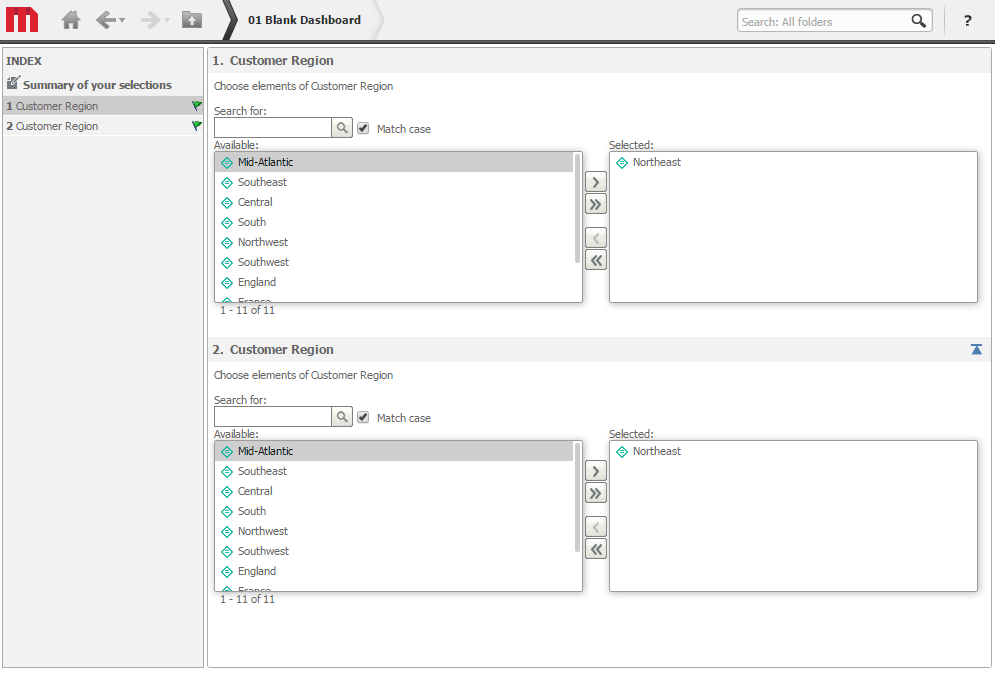
In Strategy Mobile 10.0:

STEPS TO REPRODUCE:
CAUSE:
This behavior is working as designed. If the same prompt object is used on multiple dataset reports within a document, the document recognizes that this prompt should only be presented to the user once. However if multiple different prompts are created on the separate datasets, even if the prompts are on the same attribute, each prompt will display. This condition might occur if the prompts were created locally to each dataset. The reason this happens is because the local prompts may have different conditions. For example, one prompt may be a shopping cart style while the other prompt could be a checkbox style.
ACTION:
To avoid this behavior, create a single prompt object outside of the dataset reports, and reuse this object on all datasets.
