EducationSoftwareStrategy.com
StrategyCommunity

Knowledge Base

Product

Community

Knowledge Base

TopicsBrowse ArticlesDeveloper Zone

Product

Download SoftwareProduct DocumentationSecurity Hub

Education

Tutorial VideosSolution GalleryEducation courses

Community

GuidelinesGrandmastersEvents
x_social-icon_white.svglinkedin_social-icon_white.svg
Strategy logoCommunity

© Strategy Inc. All Rights Reserved.

LegalTerms of UsePrivacy Policy
  1. Home
  2. Topics

KB258807: New Feature in MicroStrategy Web 10.1: Support showing Bubble Chart in compact to avoid scroll bar in Visual Insight Dashboard.


Community Admin

• Strategy


This technical note describes how a user in MicroStrategy Web 10.1 and up can see all of a Bubble Chart without scrolling by enabling the option "Container (Compact)" in Properties.

SYMPTOM:
In Strategy releases prior to Strategy Web 10.1, a user has to scroll in a Visual Insight to view the whole bubble chart when there are many attribute elements in the bubble charts x-axis:

ka04W000000OhVzQAK_0EM4400000025aV.jpeg

In Strategy Web 10.1, a user can view the whole bubble chart without having to scroll by choosing the option "Container (Compact)" in Properties.
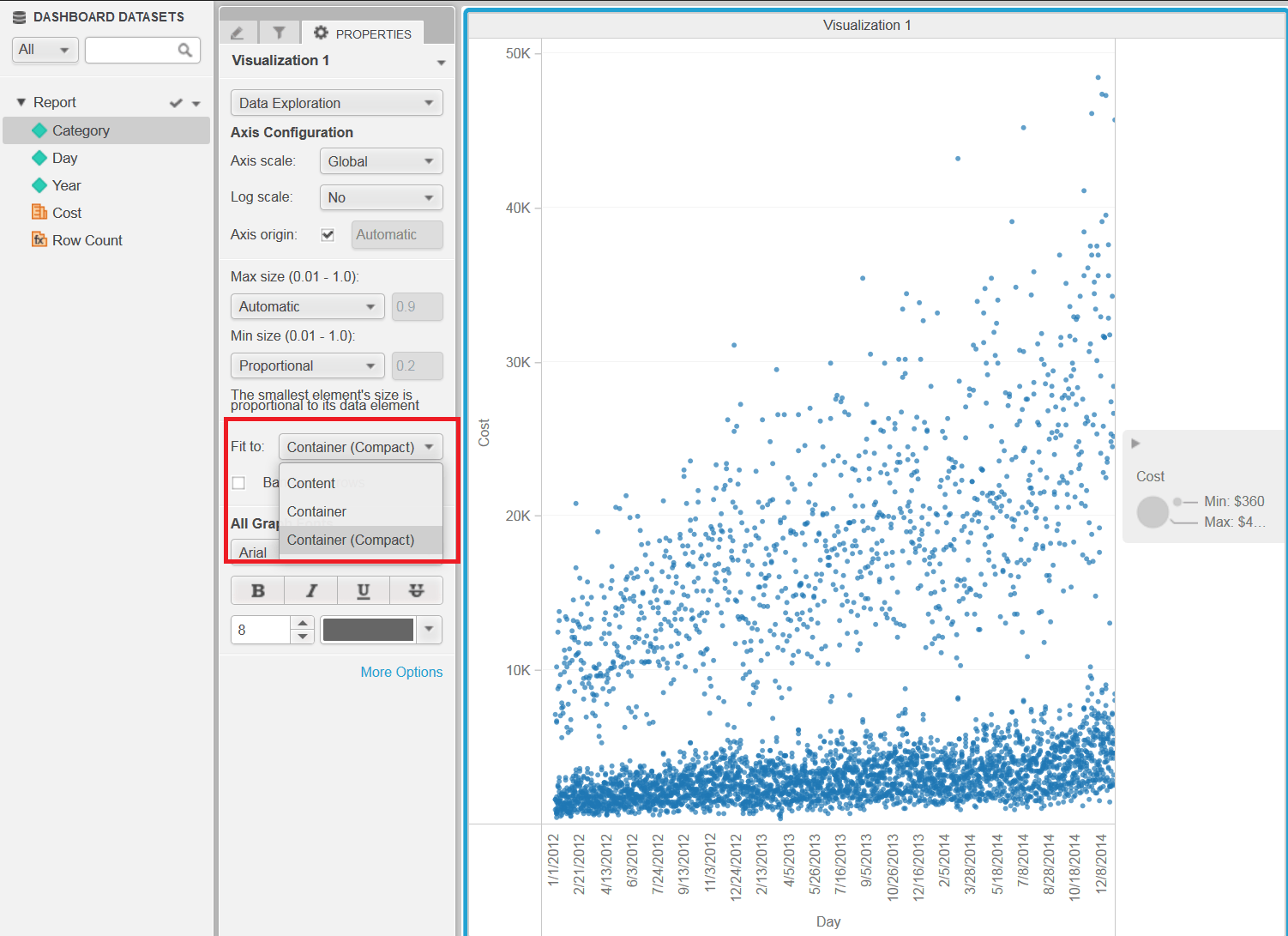
ka04W000000OhVzQAK_0EM4400000025aS.jpeg


Comment

0 comments

Details

Knowledge Article

Published:

May 17, 2017

Last Updated:

May 17, 2017