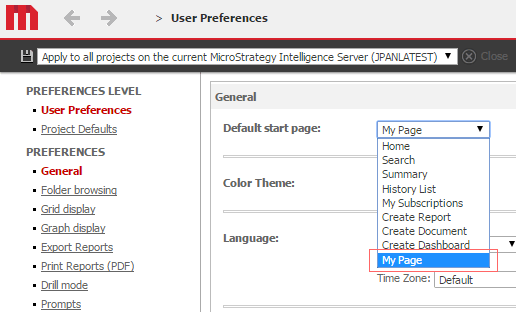
Starting in Strategy Web 10.1, users can set My Page as the default start page. To do so, navigate to Strategy Web > User Preferences > General > Default start page and select My Page from the dropdown, like shown below:
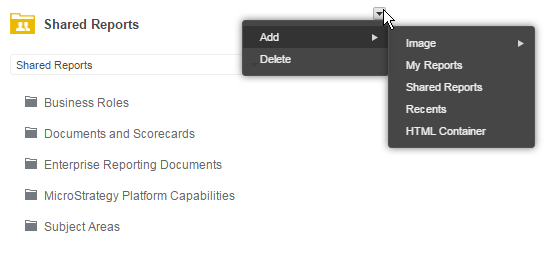
Save the setting. The next time you log in, your My Page will be displayed. From this page, users can add the following widgets:
Do so by hovering over an existing widget, clicking on the caret in the upper-right hand corner, and selecting Add from the context menu, like shown below: