SUMMARY
This technical document explains how to enable TPTAPI (Teradata Parallel Transport Application Program Interface) for a Teradata Database Instance in Strategy Web 10.0.0.
INTRODUCTION
In Strategy Web 10.1, a new feature has been added to use TPTAPI (Teradata Parallel Transport Application Program Interface). This is handled by the setting "Use Teradata Parallel Transporter (for Teradata V12 and above)" and its respective parameters, while performing a Data Import. If needed, Strategy Web 10.0.0 versions can also enable TPTAPI, which is not visible out-of-the-box.
HOW TO:
On Strategy Web 10.0.0, select Add External Data > Database > Add Source, On the “Data Source” dialog, choose “Teradata”. As it can be observed in the screenshot below, the TPT API option is not exposed.
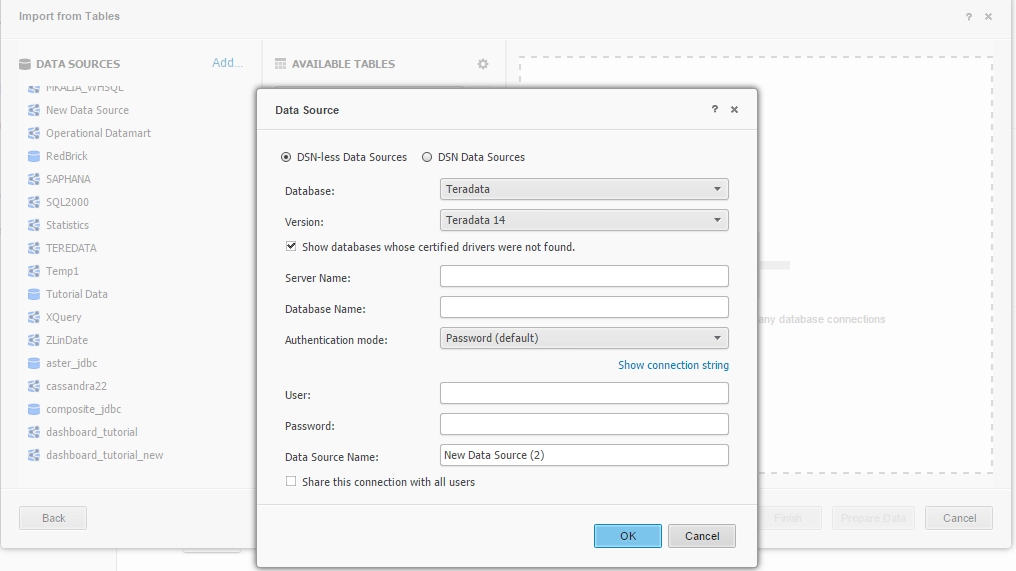
To enable TPTAPI on Strategy Web 10.0.0, it is required to edit the "DBProperties.xml" file under: “C:\Program Files (x86)\MicroStrategy\Web ASPx\WEB-INF\xml\DBProperties.xml” (Microsoft IIS) or "$CATALINA_HOME\webapps\MicroStrategy\WEB-INF\xml\DBProperties.xml" (Tomcat)
Steps to modify the DBProperties.xml file:

After the change, it should be as follows:

Once the above changes have been done, when Data Import is used in Strategy Web, the TPTAPI option will be displayed as shown below:

