SYMPTOM:
After exporting a document or dashboard from Strategy Web 9.4.1 or 10.x to Flash, or sending it through Strategy Distribution Services 9.4.1 or 10.x, users receive an *.mht file. When the users attempt to launch the .mht file in Internet Explorer, they encounter the following error:
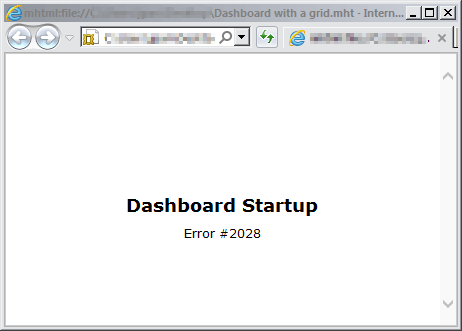
Dashboard Startup
Error #2028
Or

Restart the web server for the change to take affect, then export the document or dashboard to Flash. The document or dashboard will be downloaded as a PDF file. Launch the PDF file in a supported PDF viewer (e.g. Adobe Acrobat Reader 11.x) and observe that some Flash functionality is retained. The minimum version of Adobe Acrobat Reader required for Flash functionality to be retained is Adobe Acrobat Reader 9.2.
Follow the following instructions to find the version of Flash Player being used on a machine
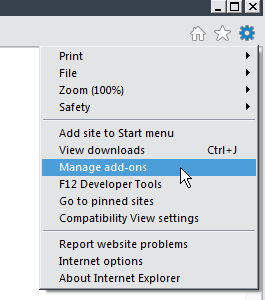
1. Navigate to "Manage add-ons", like shown below:
2. Locate the Version under Shokwave Flash Object section:

Third Party Software Installation Warning:
The third-party product(s) discussed in this technical note are manufactured by vendors independent of Strategy. Strategy makes no warranty, express, implied or otherwise, regarding these products, including their performance or reliability.
Internal Reference number US29674
