EducationSoftwareStrategy.com
StrategyCommunity

Knowledge Base

Product

Community

Knowledge Base

TopicsBrowse ArticlesDeveloper Zone

Product

Download SoftwareProduct DocumentationSecurity Hub

Education

Tutorial VideosSolution GalleryEducation courses

Community

GuidelinesGrandmastersEvents
x_social-icon_white.svglinkedin_social-icon_white.svg
Strategy logoCommunity

© Strategy Inc. All Rights Reserved.

LegalTerms of UsePrivacy Policy
  1. Home
  2. Topics

KB262655: The focus on the text fields in transaction service documents lost when pressing Enter key to finalize Kana/Kanji conversion in Japanese in MicroStrategy 10.1


Community Admin

• Strategy


SYMPTOM:
 In Strategy Web 10.1, the focus on the text fields in transaction service documents lost when pressing Enter key to finalize Kana/Kanji conversion in Japanese.
 
STEPS TO REPRODUCE:

  • Configure the transaction input with the ‘Text Field’ control, as shown in the image below:
ka04W000000OaUGQA0_0EM4400000025a7.jpeg
  • Run a transaction service document.
  • Input Japanese characters, ‘緊急の用件1’ .
ka04W000000OaUGQA0_0EM4400000025aA.jpeg
  • Convert to Kanji.
ka04W000000OaUGQA0_0EM4400000025a8.jpeg
  • Finalize the conversion by pressing Enter key. Note that the focus on the text field lost.
ka04W000000OaUGQA0_0EM4400000025a4.jpeg
  • Edit the text field again.
ka04W000000OaUGQA0_0EM4400000025Zw.jpeg
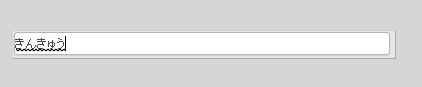
  • Input Hiragana.
ka04W000000OaUGQA0_0EM4400000025aG.jpeg
  • Finalize the conversion by pressing Enter key. Note that the focus on the text field lost.
ka04W000000OaUGQA0_0EM4400000025aC.jpeg
  • Edit the text field again.
ka04W000000OaUGQA0_0EM4400000025Zu.jpeg
  •  Input Japanese characters. 
ka04W000000OaUGQA0_0EM4400000025aF.jpeg
  • Covert to Kanji.
ka04W000000OaUGQA0_0EM4400000025a5.jpeg
  • Finalize the conversion by pressing Enter key. Note that the focus on the text field lost.
ka04W000000OaUGQA0_0EM4400000025aE.jpeg
  • Edit the text filed again.
ka04W000000OaUGQA0_0EM4400000025a6.jpeg
  • Input number, 1.
ka04W000000OaUGQA0_0EM4400000025a0.jpeg
  • Press enter to complete the input message.
ka04W000000OaUGQA0_0EM4400000025aD.jpeg
  • Note that the three additional steps (Step4, 5 and 6) are required to input Japanese characters.
     

CAUSE:
This is a known issue with Strategy Web 10.1.
 
ACTION:
This issue has been addressed in Strategy 10.2.
KB262655


Comment

0 comments

Details

Knowledge Article

Published:

June 13, 2017

Last Updated:

December 26, 2018