EducationSoftwareStrategy.com
StrategyCommunity

Knowledge Base

Product

Community

Knowledge Base

TopicsBrowse ArticlesDeveloper Zone

Product

Download SoftwareProduct DocumentationSecurity Hub

Education

Tutorial VideosSolution GalleryEducation courses

Community

GuidelinesGrandmastersEvents
x_social-icon_white.svglinkedin_social-icon_white.svg
Strategy logoCommunity

© Strategy Inc. All Rights Reserved.

LegalTerms of UsePrivacy Policy
  1. Home
  2. Topics

KB263614: Error "The depth of the expression tree 200 is larger than the max depth 200 allowed." is received when creating a security filter in Command Manager 9.4.1


Community Admin

• Strategy


Error "The depth of the expression tree 200 is larger than the max depth 200 allowed." is received when creating a security filter in Command Manager 9.4.1

SYMPTOM:
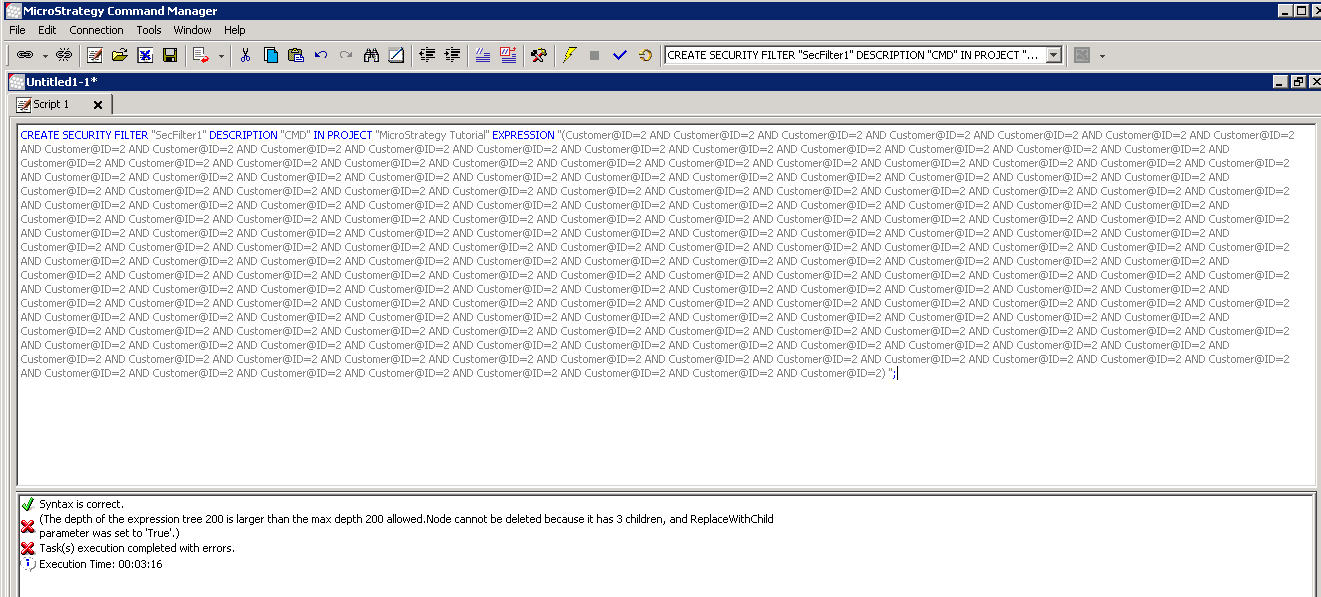
Error "The depth of the expression tree 200 is larger than the max depth 200 allowed." is received when creating a security filter in Command Manager 9.4.1.
ka04W000000OgshQAC_0EM440000002C3i.jpeg


(The depth of the expression tree 200 is larger than the max depth 200 allowed. 


Node cannot be deleted becaused it has 3 children, and ReplaceWithChild parameter was set to 'True'.)
 
CAUSE:
This is working by design, as currently the max depth of an expression allowed is 200 in Command Manager 9.4.1. If the expression is too deep, Intelligence Server may crash by exhausting the stack space.
 
ACTION:
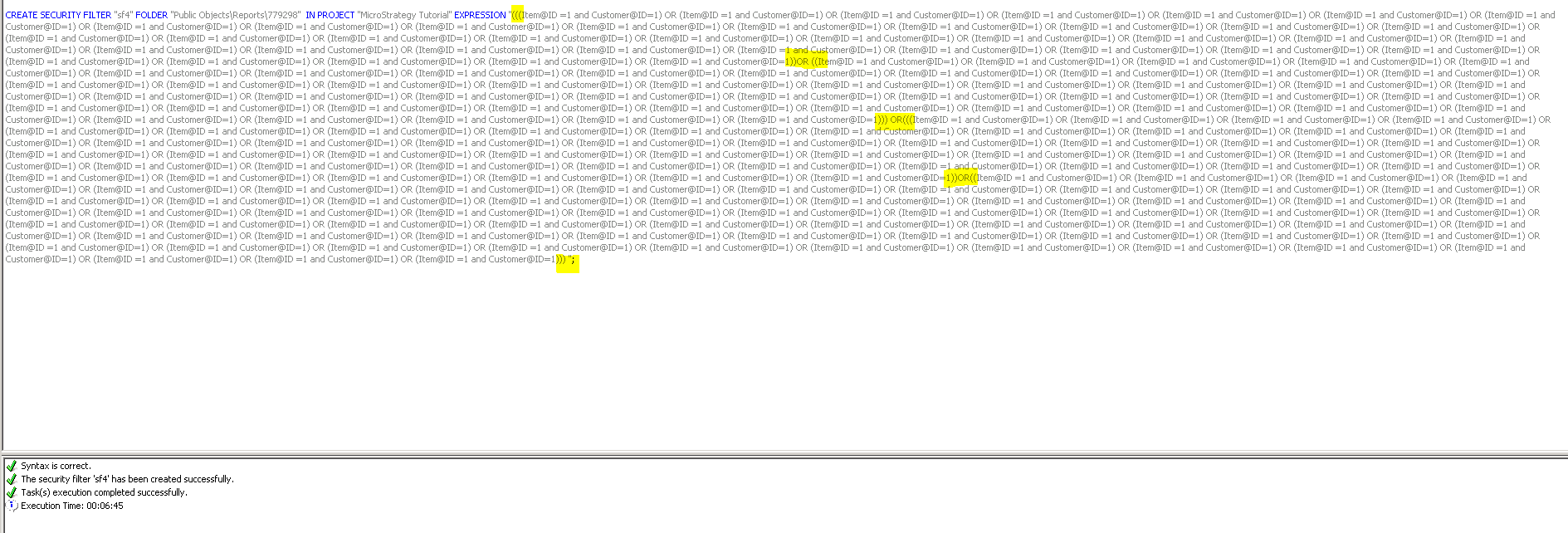
An expression with less depth is suggested. Adding some parenthesis to change the grouping of the parsed expression can decrease the depth, as below picture shown:
 

ka04W000000OgshQAC_0EM440000002C3j.jpeg


CREATE SECURITY FILTER "xxx" DESCRIPTION "xxx"  IN PROJECT "xxx" EXPRESSION “((Customer@ID=2 …)AND(Customer@ID=2 …)) AND ((Customer@ID=2 …) AND (Customer@ID=2 …))”;


Comment

0 comments

Details

Knowledge Article

Published:

June 8, 2017

Last Updated:

June 8, 2017