INTRODUCTION
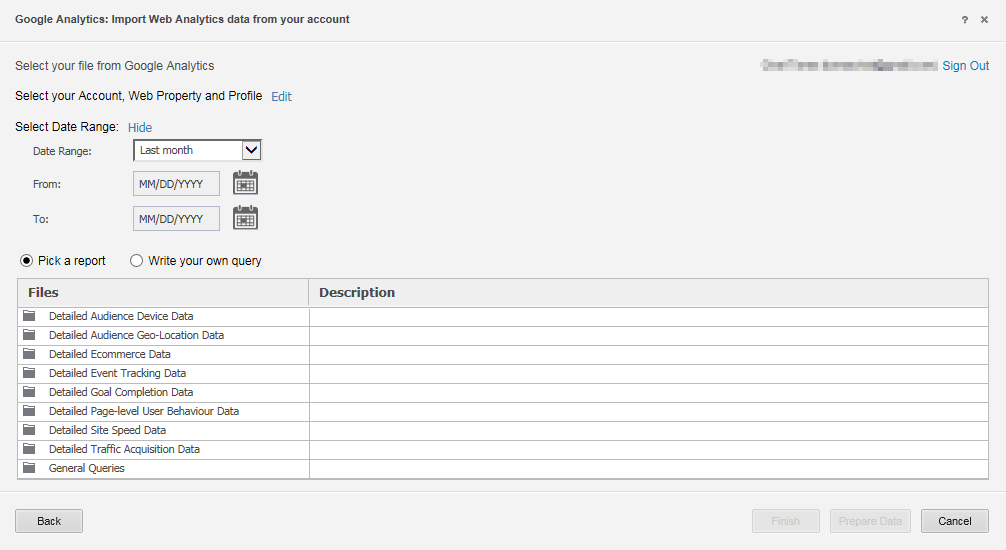
In Strategy 10.x, users can import website statistics data from a Google Analytics account to create reports, dashboards, and documents. Data can be imported from Google Analytics by using the pre-built queries in Strategy or by creating a Google Analytics query to select specific data to import.
PREREQUISITES
STEPS TO CONNECT TO GOOGLE ANALYTICS
Configuring the Google Analytics account
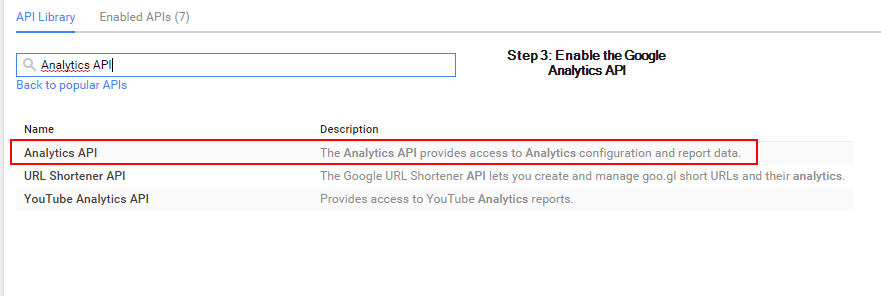
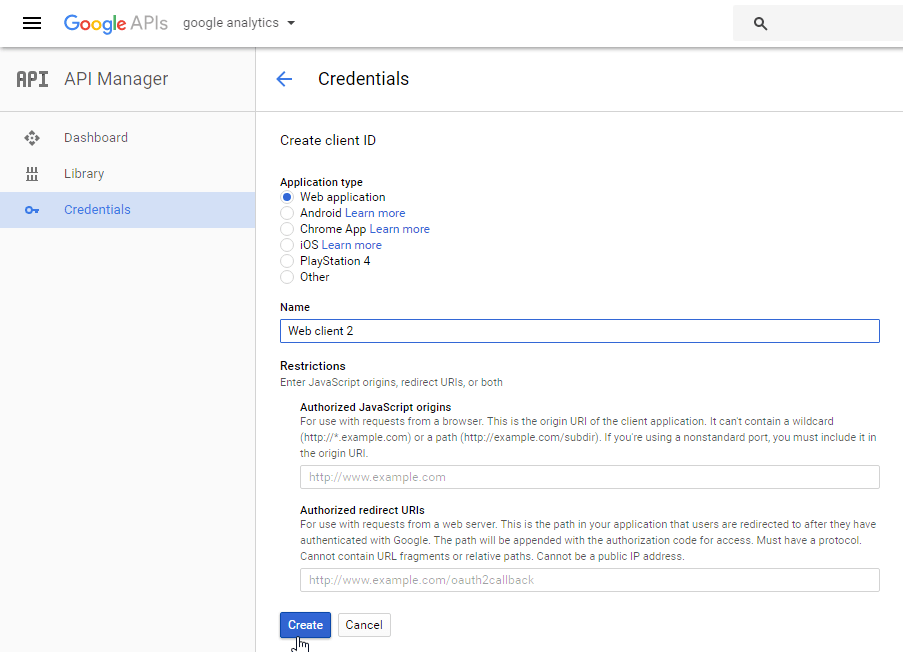
The Callback URL takes the following syntax:
ASP
https://WebServer/MicroStrategy/asp/Main.aspx?evt=3172
JSP:
https://WebServer/MicroStrategy/servlet/mstrWeb?evt=3172
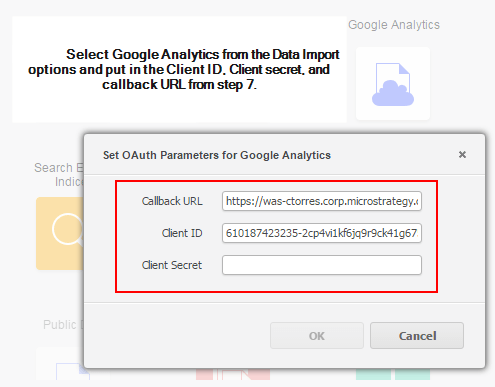
Third Party Software Installation Warning:
The third-party product(s) discussed in this technical note is manufactured by vendors independent of Strategy. Strategy makes no warranty, express, implied or otherwise, regarding this product, including its performance or reliability.
KB263684
