When launching the Strategy Health Center Console in 10.x, users have the option to update to the latest version through a file or from the web by navigating to File > Health Center Update. If an update is not needed, a pop up window will display with the following message:
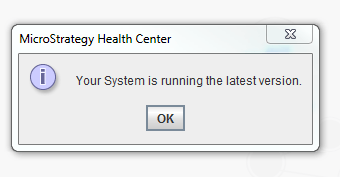
Your System is running the latest version.
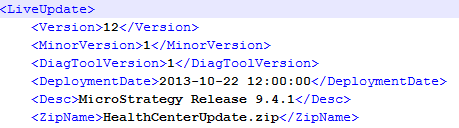
For Strategy 10.x versions, the latest version available for Health Center is version 12.2:
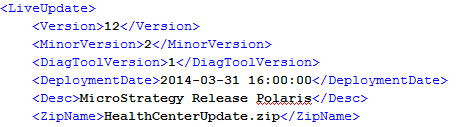
Note: To verify the version of Health Center, refer to the file HealthCenterUpdateVersionInfo.xml located in the Common Files folder where Heath Center is installed.
However, in Health Center 10.x, users do not receive the notification that the console is up to date. Instead, users will notice the update window says an update is needed from version 12.2 to version 12.1 with no option to complete the update, as shown below:
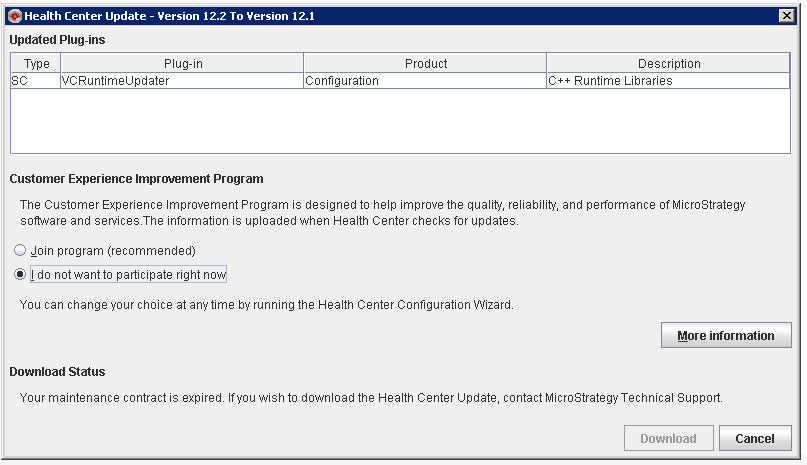
STEPS TO REPRODUCE:
Note: Notice that even though it is up to date with version 12.2, the screen says to update from 12.2 to 12.1
CAUSE:
This issue is classified as a defect in Strategy Health Center 10.x.
ACTION:
This issue has been addressed in Strategy version 10.6 and newer.
