SUMMARY:
This article describes a known issue with the multisource option in Warehouse Catalog in Strategy 10.x. This issue is currently being reviewed by Strategy for a potential code fix in an upcoming release.
SYMPTOM:
In Strategy 9.x, users were able to add tables from different databases as a single table through the multisource option in Warehouse Catalog. Upon adding the table from the second database in the Warehouse Catalog, users would receive the following message:
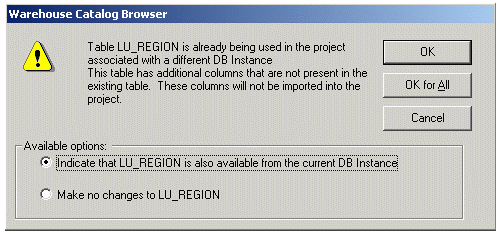
Table XX is already being used in the project associated with a different DB Instance.
This table has additional columns that are not present in the existing table.
These columns will not be imported into the project.
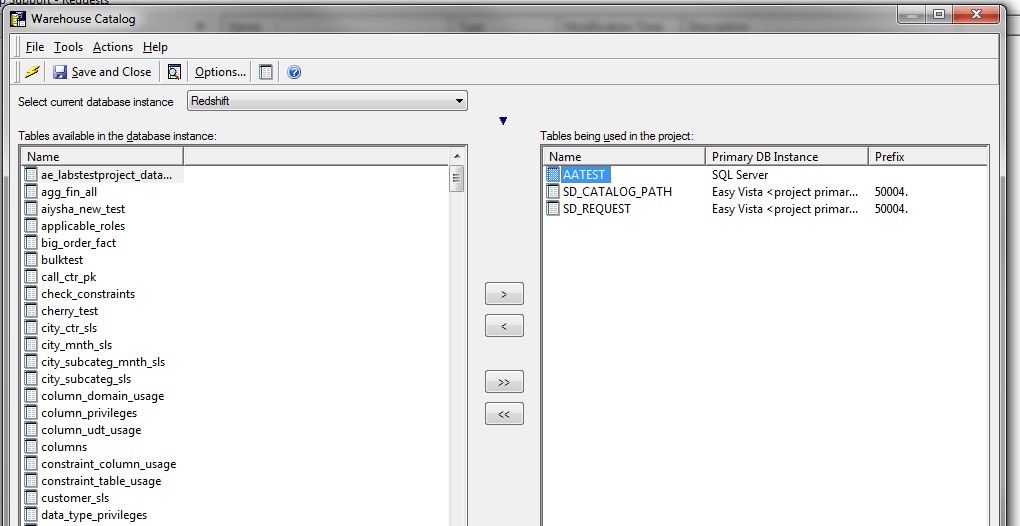
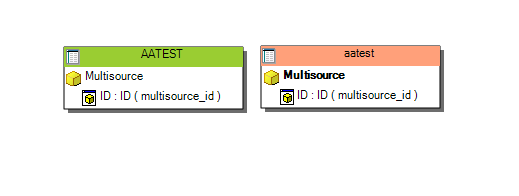
As a workaround, users may try to add the table for multisource through Strategy Architect. As with the previous example, a user added the table ‘AATEST’ through Warehouse Catalog from a SQL Server database. The user then attempts to add the same table from Redshift in Architect, however, instead of adding as a single table, the table is added as a separate table with no option for multisource, as shown below:
STEPS TO REPRODUCE:
CREATE TABLE AATEST
(
MULTISOURCE_ID INTEGER
)
CREATE TABLE AATEST
(
MULTISOURCE_ID INTEGER
)
CAUSE:
This issue is caused by some databases being case sensitive while others are case insensitive. In Strategy 9.x, databases were treated as case insensitive. However, starting in Strategy 10, databases are treated as case sensitive. In a case sensitive scenario the following comparison is false, while in a case insensitive scenario it would evaluate as true:
AATEST = aatest
In the example above, Redshift is a case insensitive database. This means when running the create table statement above, the database automatically changes the case of the table name. With Redshift this means converting the name to pure lower case leading to a table name of 'aatest'. This table name does not line up with the table name from SQL Server which is case sensitive 'AATEST'. Strategy sees these tables as separate tables due to case sensitivity.
ACTION:
Currently this issue is being reviewed by Strategy for a potential code fix in an upcoming Strategy release.
WORKAROUND:
Use custom SQL to change the case of the table name. For example, if using a table from Amazon Redshift, an upper function can be added to the Read SQL to change the table to upper case. This workaround only applies to Architect, changing the Read SQL does not change the behavior of Warehouse Catalog.
After applying this custom SQL, users can now add the table in Strategy Architect as a multisource candidate. Once added, users will see the following message:
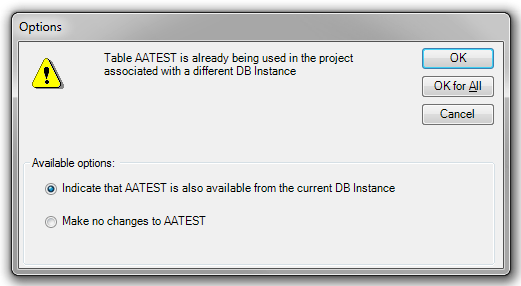
Table XX is already being used in the project associated with a different DB Instance.
