EducationSoftwareStrategy.com
StrategyCommunity

Knowledge Base

Product

Community

Knowledge Base

TopicsBrowse ArticlesDeveloper Zone

Product

Download SoftwareProduct DocumentationSecurity Hub

Education

Tutorial VideosSolution GalleryEducation courses

Community

GuidelinesGrandmastersEvents
x_social-icon_white.svglinkedin_social-icon_white.svg
Strategy logoCommunity

© Strategy Inc. All Rights Reserved.

LegalTerms of UsePrivacy Policy
  1. Home
  2. Topics

KB263913: How to import data from Apache Solr in MicroStrategy Web 10.x


Community Admin

• Strategy


In MicroStrategy 10, a search index can now be used as a data source. The search index, Apache Solr specifically, can be used as a data source so that created indexes can be accessed and evaluated through the MicroStrategy Visual Insight tool. Unlike other data sources configured through MicroStrategy Data Import, Search Index as a Source connectivity will retrieve data live from the source via a ‘Direct Database Access’ Cube. This cube does not store data in-memory, instead it functions to store dataset structure and mapping information with other MicroStrategy objects.

INTRODUCTION
In Strategy 10, a search index can now be used as a data source. The search index, Apache Solr specifically, can be used as a data source so that created indexes can be accessed and evaluated through the Strategy Visual Insight tool. Unlike other data sources configured through Strategy Data Import, Search Index as a Source connectivity will retrieve data live from the source via a ‘Direct Database Access’ Cube. This cube does not store data in-memory, instead it functions to store dataset structure and mapping information with other Strategy objects.
 
PREREQUISITES
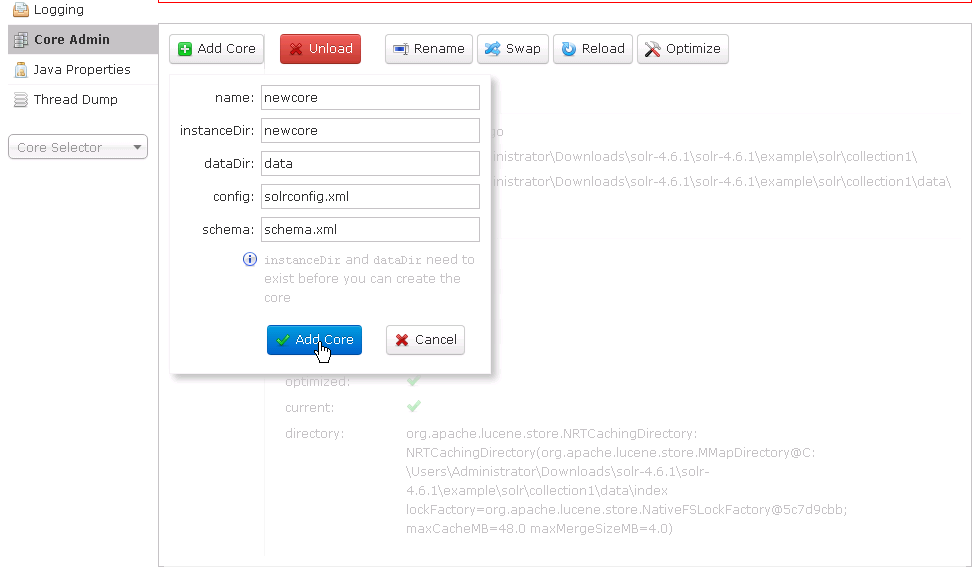
  • A Solr server with no authentication
  • Access to the Solr server from the Intelligence Server machine
  • A core with tables for use in import
ka04W000001Ix2WQAS_0EM440000002Meh.png

 
Note: Strategy does not support any type of authentication with SOLR.
 
HOW TO CONFIGURE SOLR AS A DATA SOURCE
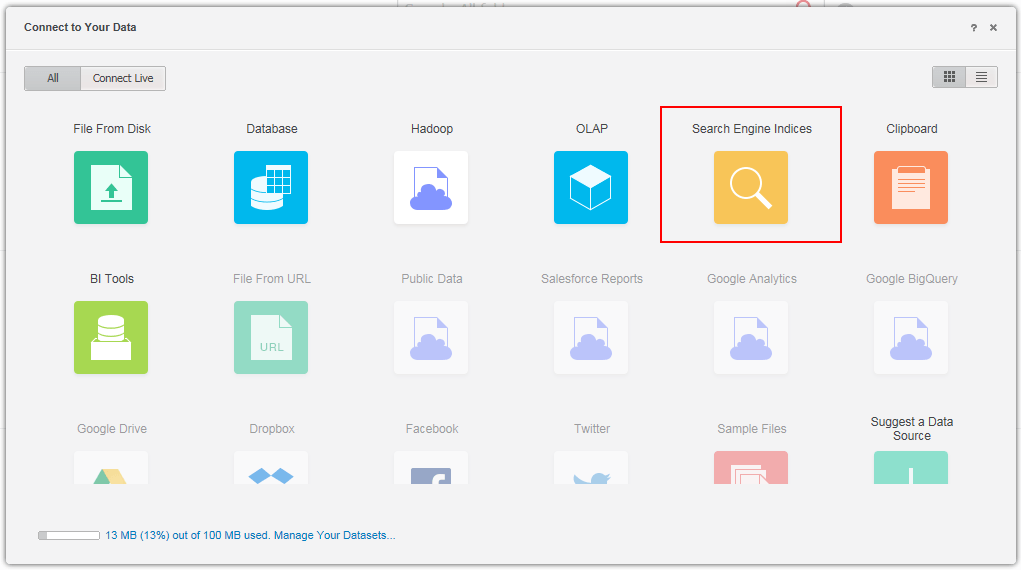
  • From Strategy Web, select Add External Data.
  • From the available sources page, select Search Engine Indices:
ka04W000001Ix2WQAS_0EM4400000025XK.jpeg
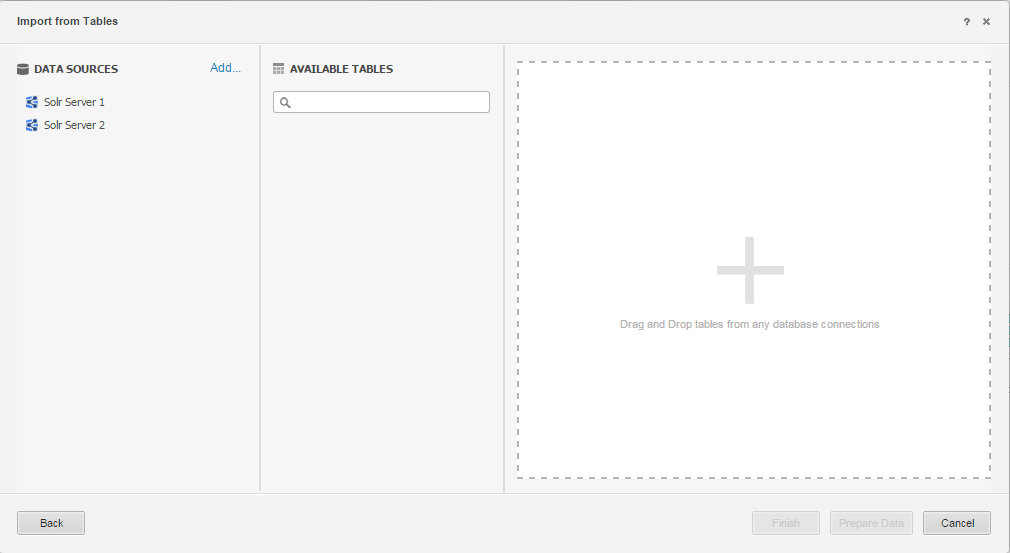
  • A window will display with the following three sections:
ka04W000001Ix2WQAS_0EM4400000025XH.jpeg

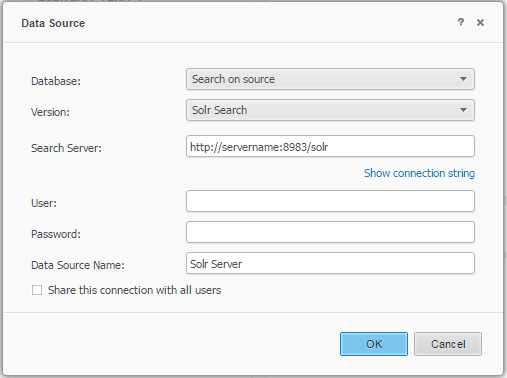
On the far left is the Data Sources section, where all configured Search Engine Indices connections are listed. The icon in the top right of this section can be used to add additional Search Engine Indices connections on the fly:
ka04W000001Ix2WQAS_0EM4400000025XJ.jpeg

Note: The server name cannot have an ending slash '/'. The link should use the following syntax: http://servername:8983/solr

  1. After selecting on one of the available Data Sources or creating one on the fly, the Available Tables area is populated with tables that exist in the core(s) available from that data source.

Users can search for a particular table with the search bar at the top of the Available Tables section and can refresh the table list with the refresh button in the top right. Tables can be expanded to view available columns by clicking the triangle to the left of the table name.

  1. To choose a table for analysis, locate the table to be analyzed and drag-and-drop the table to the Drop Tables area.

Note: Search as a Source currently only supports single-table analysis.

  1. Select Prepare Data if modifications are needed, or select Finish to create the cube.

Note:  For Search Engine Indices, all columns used in the analysis will be marked as attributes and cannot be changed. Several other common Data Import capabilities are also unavailable, such as linking attributes, creating geographical and time roles, and multiple attribute forms.
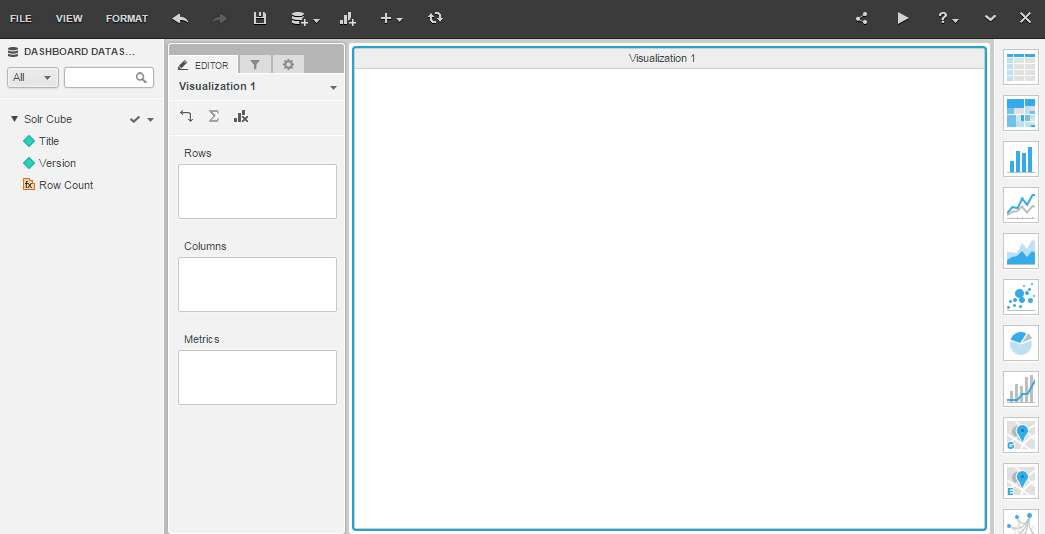
  • Now cube is ready for use in a Visual Insight dashboard:
ka04W000001Ix2WQAS_0EM4400000025XL.jpeg

 
Third Party Software Installation Warning:
The third-party product(s) discussed in this technical note is manufactured by vendors independent of Strategy. Strategy makes no warranty, express, implied or otherwise, regarding this product, including its performance or reliability.


Comment

0 comments

Details

Knowledge Article

Published:

March 30, 2017

Last Updated:

September 22, 2022