SUMMARY:
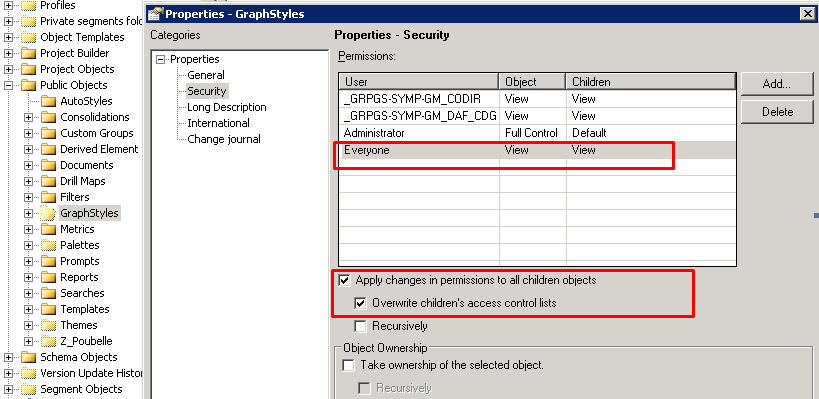
This document shows one known issue that "You do not have the permission to modify this object" error appears when attempting to save Intelligent Cube via Data Import in Strategy Web 10.1. The root cause is Everyone group with View permission is removed from Access Cotrol List (ACL) of some system graph style objects. Adding Everyone group with view permission back into ACL of folder \Public Objects\GraphStyles and replacing all children's ACL should resolve the issue.
SYMPTOM:
"You do not have the permission to modify this object" error appears when clicking on Finish to save Intelligent Cube after importing data from excel file as shown below:

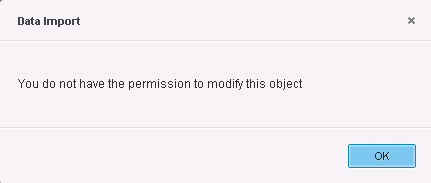
You do not have the permission to modify this object
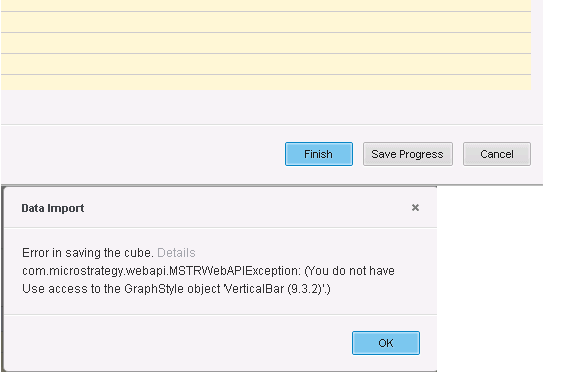
Error in saving the cube. Details:
com.Strategy.webapi.MSTRWebAPIException: (You don not have
Use access to the GraphStyle object 'VerticalBar (9.3.2)'.)