

To Send Feedback skip to step 3A and to Report a Problem skip to step 3B
Note: The feature to Send Feedback is used when a problem is not currently existing, but if you currently have a question that you wish for Usher Support to follow up on. This can be for basic questions or for possible enhancement requests.
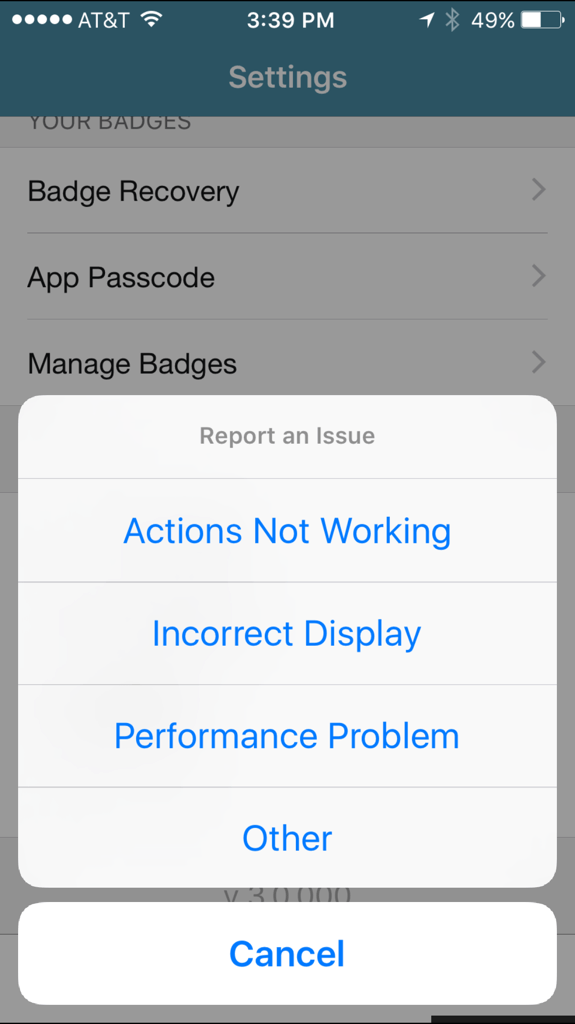
Note: The Feature to Report a Problem is used when a problem is currently happening and troubleshooting is required. The questions can be basic or complex. Log files for the users device will be attached to the email received by support.
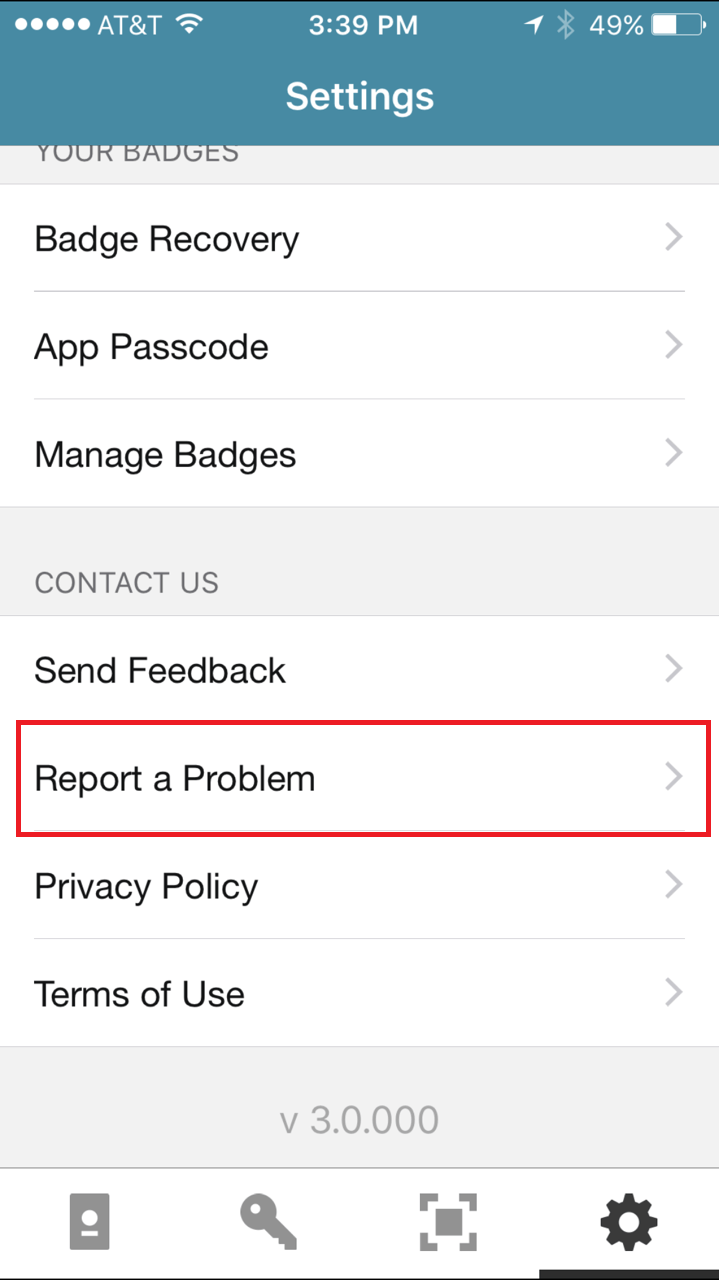
3A. Once you are in the settings for Usher you will see a link under CONTACT US labeled Send Feedback. Tap on Send Feedback. This will take you to a similar screen in step 5.

Skip to step 5
3B. Once you are in the settings for Usher you will see a link under CONTACT US labeled Report a Problem. Tap on Report a Problem.
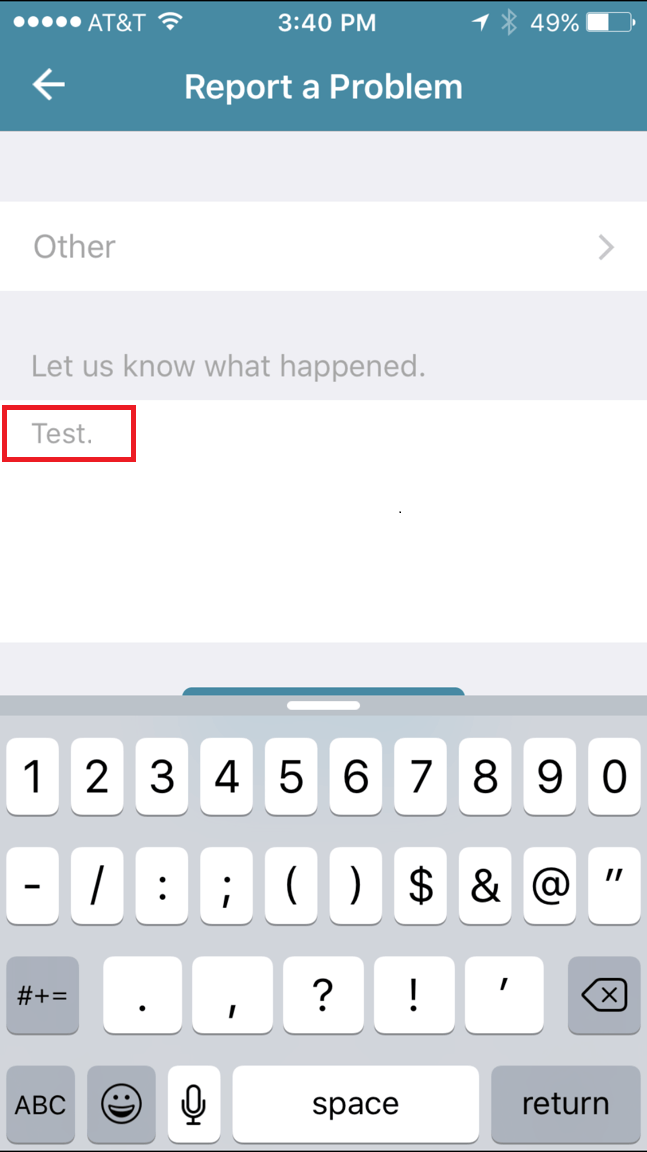
Note: To send an email from the app to Support, the user must have a mail client currently installed on their device such as GMail, Outlook, Apple Mail, Or Yahoo.
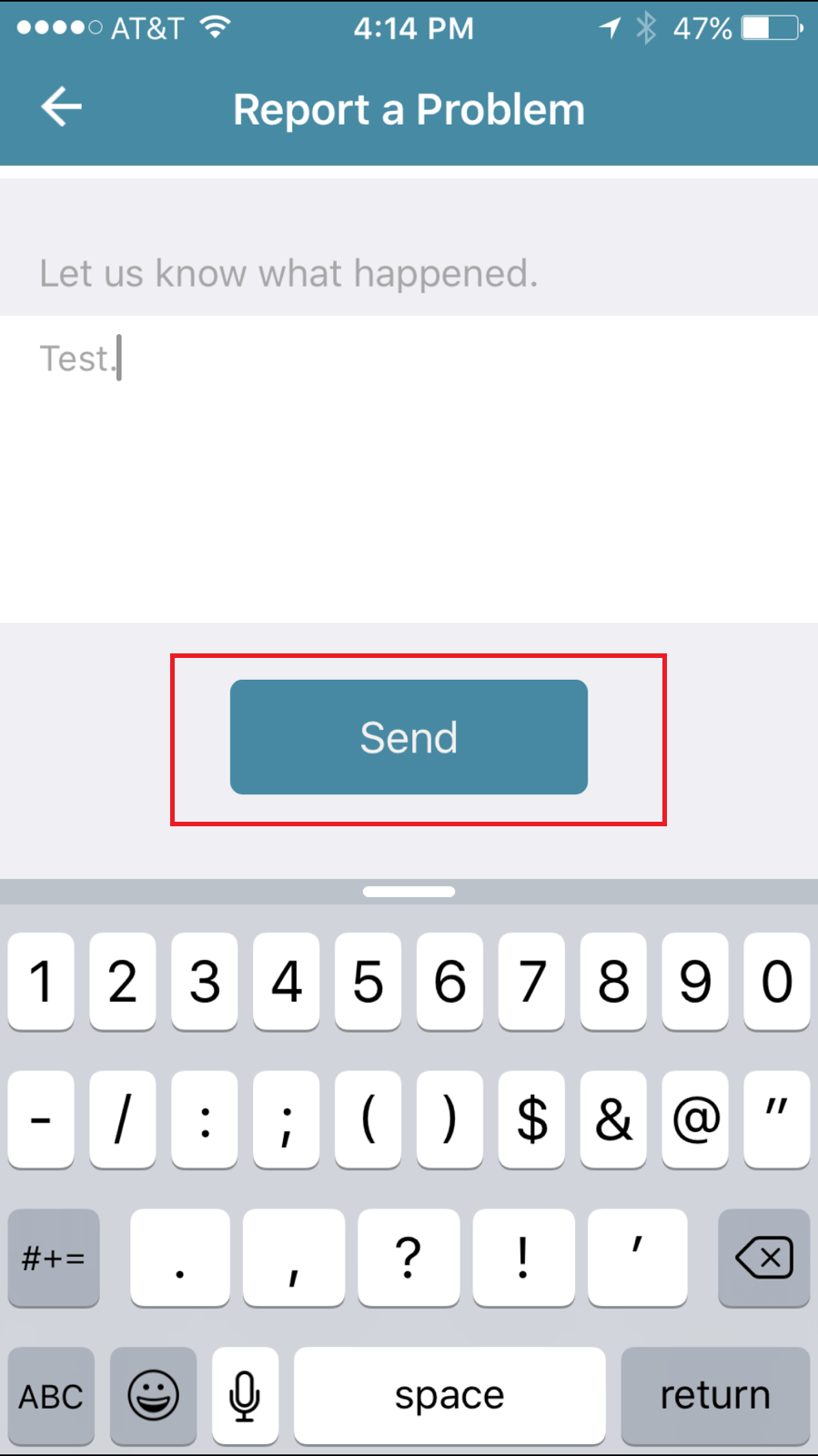
Note: If you have an existing case, it is at this time you can place your case number into the subject line of the email.
Once the email is formed you may click send and it will notify Usher Support that you have a question or a problem with the application.

