Strategy Web is a web application that is deployed on top of a third party web server. In the case of a Microsoft Windows machine, IIS is the application server where Strategy Web is deployed into. When issues occur in Strategy Web, it is important to determine if the issues are caused by the application itself or by the application server to determine the culprit.
In some circumstances, Strategy Technical Support may request logs from the third party application server for further analysis. Microsoft Windows maintains very verbose system level logs that may include information useful for troubleshooting or diagnosing issues related to Strategy Web.
Follow the steps below to properly filter and send the Microsoft Windows Event Logs to Strategy Technical Support via the Windows Event Viewer.
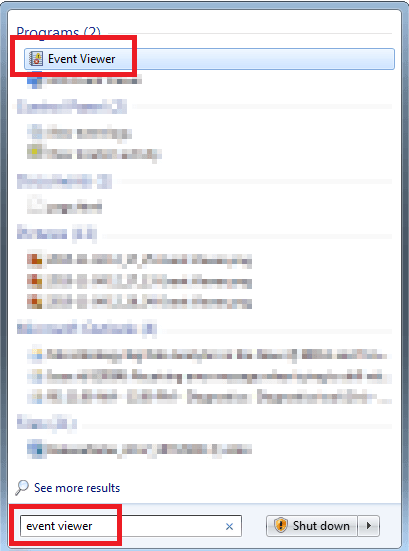
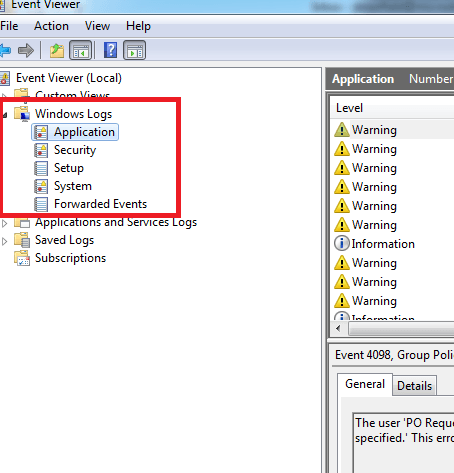
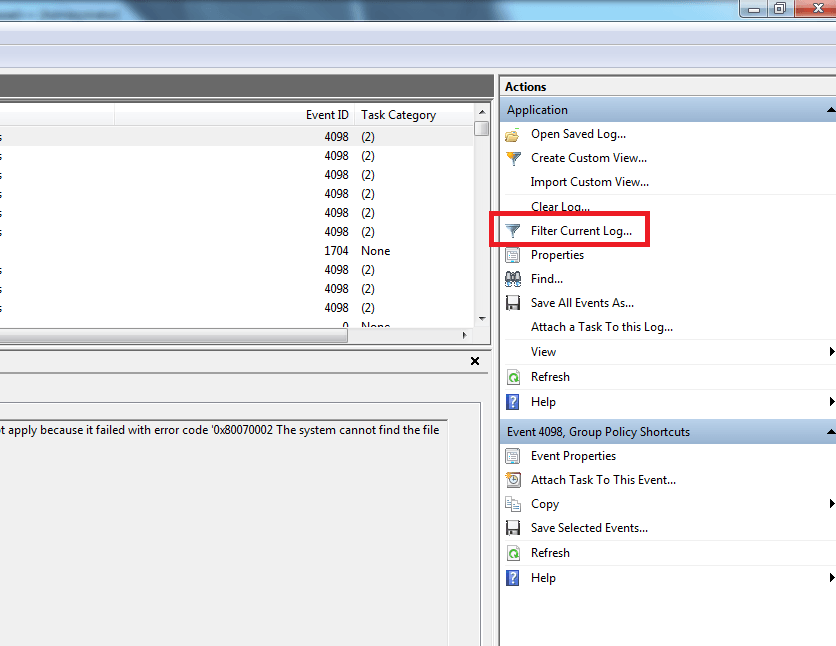
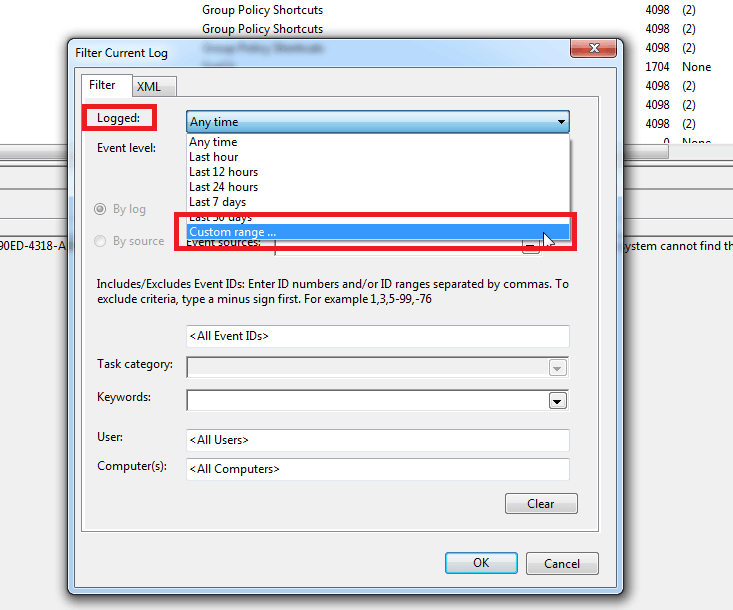
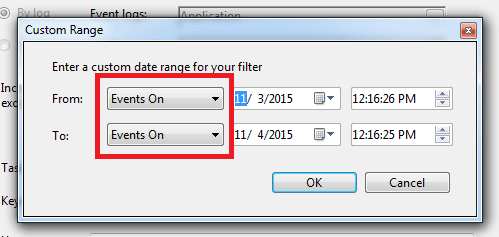
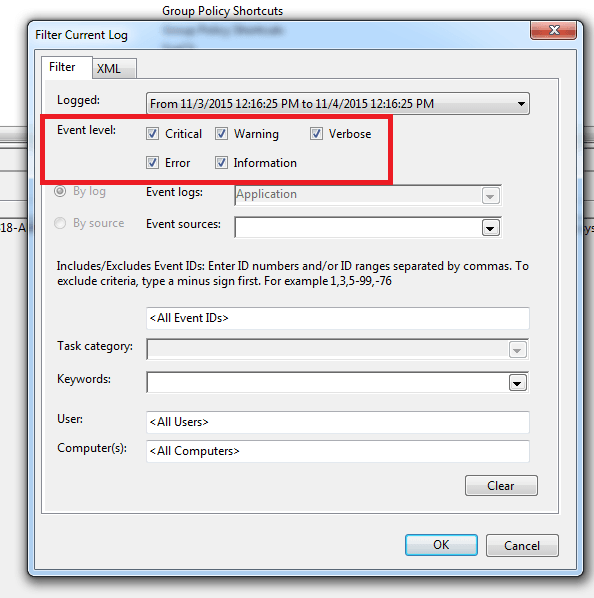
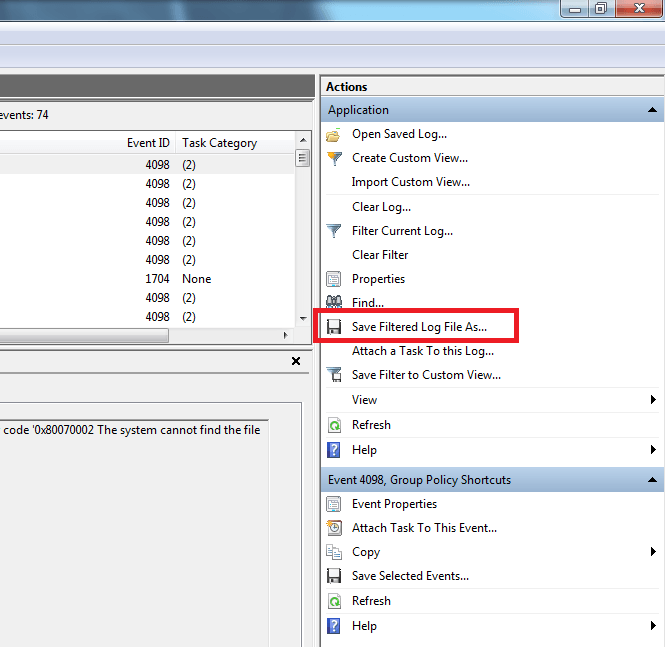
Send the log file created to Strategy Technical Support for further analysis.
Note: Strategy Technical Support is not an expert in third party software application servers. In some situations, the result of the analysis may be to pinpoint the third party software as the cause of the issue or may be inconclusive. In both cases, Strategy Technical Support may request the user to seek help from the third party vendor for further troubleshooting.
THIRD PARTY SOFTWARE INSTALLATION WARNING:
The third-party product(s) discussed in this technical note is manufactured by vendors independent of Strategy. Strategy makes no warranty, express, implied or otherwise, regarding this product, including its performance or reliability.
