SUMMARY:
This document shows one known issue that "Could not find project [project name] on [mobile server name/IP]:0" error appears when attempting to connect to project when device locale is set French (Canada) in Strategy Mobile client 10.1. This is a known issue. Adding locale French (Canada) to mobile server and recreating mobile configuration could be a workaround.
SYMPTOM:
"Could not find project [project name] on [mobile server name/IP]:0" error appears when attempting to connect to project when device locale is set French (Canada) in Strategy Mobile client 10.1
STEPS TO REPRODUCE:
1. Suppose one project has default language French (France) as shown below:

2. Project name has translations as below:

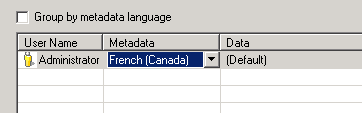
3. Administrator's metadata language is set to non-default language French (Canada) in user preferences as below:
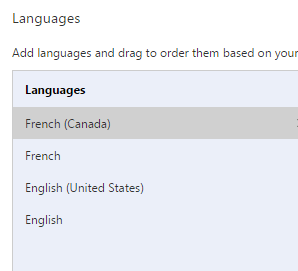
4. In Web browser, set display language to French (Canada) as shown below:
5. In Strategy Mobile server administration page which displays in French (Canada), create new mobile configuration. But, project name shows up in French (France) as shown below:
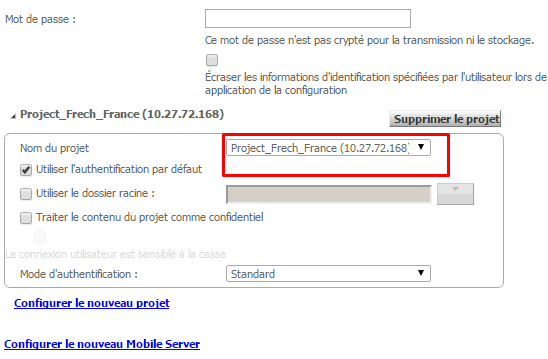
Save the configuration.
6. In mobile device, set language to French (Canada) in Settings>General>Language & Region>iPhone Language as shown below:

7. Apply mobile configuration URL in Mobile. The project name displays in French (France).Then, try to connect to the project but the following error appears:

Could not find project Project_Frech_France on 10.27.72.168:0

The Strategy internal reference number of the documented issue is DE21545.
