SUMMARY:
This issue has been classified as a defect by Strategy. The impact is limited to Strategy Web 10.x product only with data import from Netezza. A couple of workarounds are available in the current document. A solution/code fix for this issue is not available in current releases but is being reviewed for a future Strategy release.
SYMPTOM:
In Strategy Web 10.x, when a user attempts to import from a Netezza database. The follow error message appears:

Failed to execute query. Details
Error in accessing information from the external data source (Database Instance: (DataImport)[0], Error: Execute Query failed. %0d%0aError type: Odbc error. Odbc operation attempted: SQLExecDirect. [42000:27: on SQLHANDLE] ERROR: 'select xxx from XXXX limit 1000 limit 1001'%0aerror ) found 'LIMIT'(at char 76)expecting a keyword)

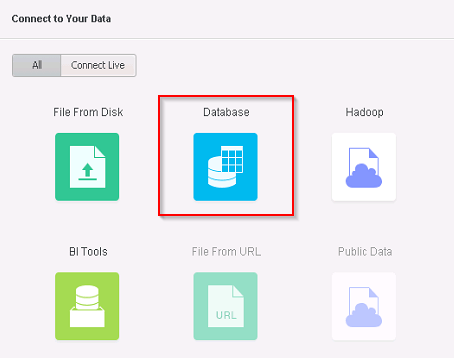
2. Select a Netezza DataSource (DSN must have been created in Developer or in Web)
3. Select a table to Import on.
4. Click 'Add all to column'
5. Attempt to proceed with 'Prepare Data' option, then, notice the error.
CAUSE:
The error is where we are attempting to limit the data twice with a limit 1000 and limit 1001 when it is only needed once. The SQLSetStmtAttr for any Netezza connection already has added support for limiting the data returned in the DATABASE.PDS file for each Netezza WH type (using the "Row Limit After Select Statement").
ACTION:
This issue has been fixed in Strategy Web 10.3. Take advantage of upgrading for a fix.
WORKAROUND:
Click "Edit" button to remove the limit 1000 to the database in the SQL statement.

Strategy Internal Reference Number DE22071
