EducationSoftwareStrategy.com
StrategyCommunity

Knowledge Base

Product

Community

Knowledge Base

TopicsBrowse ArticlesDeveloper Zone

Product

Download SoftwareProduct DocumentationSecurity Hub

Education

Tutorial VideosSolution GalleryEducation courses

Community

GuidelinesGrandmastersEvents
x_social-icon_white.svglinkedin_social-icon_white.svg
Strategy logoCommunity

© Strategy Inc. All Rights Reserved.

LegalTerms of UsePrivacy Policy
  1. Home
  2. Topics

KB274092: An error “More than one object with the name ‘Desc’ was found” is displayed during metric creation in MicroStrategy Web


Community Admin

• Strategy


An error “More than one object with the name ‘Desc’ was found” is displayed during metric creation when an object named “Desc” exists in the same project. This issue has been classified as a defect and a workaround is to create a metric in Developer or to rename the object.

SYMPTOM:
An error “More than one object with the name ‘Desc’ was found” is displayed during metric creation when an object named “Desc” exists in the same project. This issue has been classified as a defect and a workaround is to create a metric in Developer or to rename the object.
 
STEPS TO REPRODUCE:
Follow the steps below to reproduce this issue in the Strategy Tutorial project:
  1. Create an attribute named “Desc”
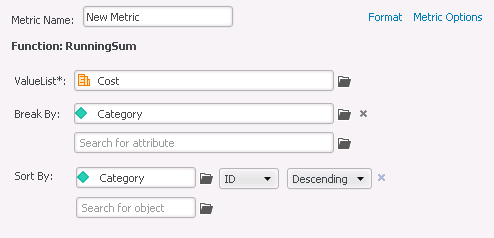
  2. In Strategy Web, create a OLAP function based metric such as RunningSum and specify “Descending” in the Sort By definition as follows.
ka04W000000Og29QAC_0EM440000002UyO.jpeg


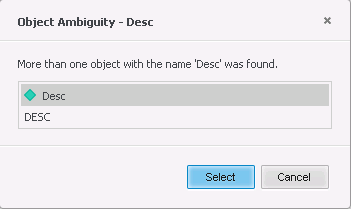
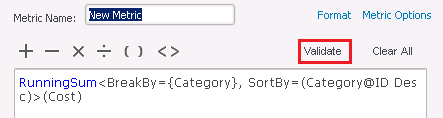
  1. Switch to the Fomula Editor and click the “Validate” button. The following error will be displayed.
ka04W000000Og29QAC_0EM440000002UyE.jpeg
ka04W000000Og29QAC_0EM440000002UyG.jpeg


More than one object with the name 'Desc' was found.
 
CAUSE:
This is a known issue in Strategy Web 10.0
The word “Desc” in “SortBy=(Category@ID Desc)” is an abbreviation of “Descending”. However, the validation process looks for objects named “Desc” and produces this error if found.
 
ACTION:
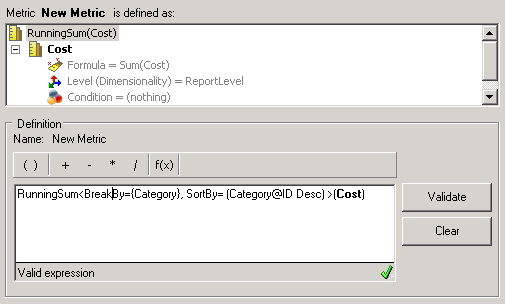
Users can upgrade Strategy to v10.3 to solve the issue.
 
WORKAROUND:

  1. Rename the existing object from “Desc” to a different name
  2. Create a metric in Developer
ka04W000000Og29QAC_0EM440000002UyC.jpeg


Comment

0 comments

Details

Knowledge Article

Published:

July 13, 2017

Last Updated:

July 13, 2017