EducationSoftwareStrategy.com
StrategyCommunity

Knowledge Base

Product

Community

Knowledge Base

TopicsBrowse ArticlesDeveloper Zone

Product

Download SoftwareProduct DocumentationSecurity Hub

Education

Tutorial VideosSolution GalleryEducation courses

Community

GuidelinesGrandmastersEvents
x_social-icon_white.svglinkedin_social-icon_white.svg
Strategy logoCommunity

© Strategy Inc. All Rights Reserved.

LegalTerms of UsePrivacy Policy
  1. Home
  2. Topics

KB274095: Operations Manager does not display any detected Alerts in MicroStrategy 10.x.


Community Admin

• Strategy


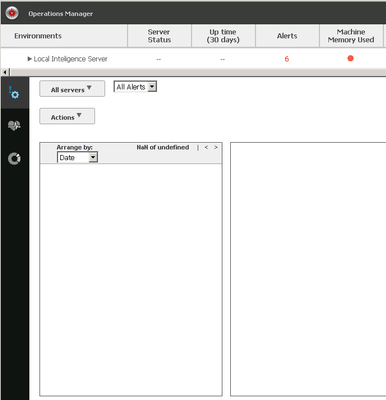
Operations Manager does not display any detected Alerts in MicroStrategy 10.x.

SYMPTOM:
Even though some alerts are detected, Operations Manager does not display any of them in the Alerts page as shown below.
ka04W000000OenYQAS_0EM4400000029Cw.jpeg


CAUSE:
One possible cause for this issue is that the Health Center Repository folder "\Repository\RTAlerts" contains too many ".RTAlert_RTAlert" files, and the system may hang by trying to show or load all the files.
 
ACTION:
Manually move old .RTAlert_RTAlert files to the History folder.

ka04W000000OenYQAS_0EM4400000029Cx.jpeg


Notes:
When alerts are deleted via Operations Manager, the deleted alerts will also be moved to this history folder.


Comment

0 comments

Details

Knowledge Article

Published:

June 5, 2017

Last Updated:

June 5, 2017