SYMPTOM:
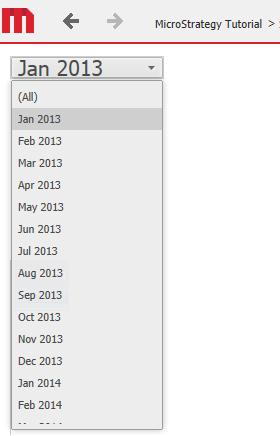
In Strategy Web 10.1, users can change the font color and font size of a drop down selector using Editable mode. In this mode, the changes will seem to take effect as expected. However, when the document is run in Presentation Mode, the color change does not take effect at all, and the font size only seems to apply to the selected element, and not to the entire list, as shown below:
In Editable mode:

In Presentation mode:
STEPS TO REPRODUCE:

CAUSE:
This is an identified defect in Strategy Web 10.1.
ACTION:
This issue has been addressed in Strategy Web 10.3. Please upgrade to version 10.3 or newer to take advantage of the fix.
