SYMPTOM:
In a Strategy Web 10 Visual Insight dashboard, when creating an ESRI map visualization, users can click on the markers to display a tool tip with more information. The tooltip will contain the information of the objects placed in the tooltip drop zone and the Geo Attribute. If the dashboard has been configured to 'Show attribute form names' to "Off", the tooltip will still show the attribute form names, as shown below:

Notice above how the attribute names on the map tooltip say ID and DESC, when the grid shows that the form names are actually off.
STEPS TO REPRODUCE:
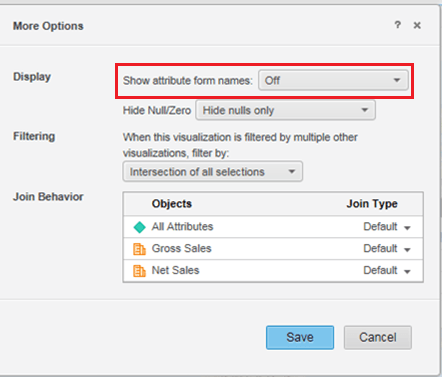
CAUSE:
This is an identified defect in Strategy Web 10.0. None of the 'Show attribute form names' options take effect in the tooltip of an ESRI map.
ACTION:
This issue has been fixed in Strategy 10.3. Take advantage of upgrading for a fix.
The Strategy Internal Reference Number for the issue discussed in this technical note is DE20900.
KB274376
