DESCRIPTION
Users that navigate during one active Web session through more than 5 projects generate additional project sessions. When users access a project through Strategy Web, a project session is created and can be monitored through the User Connection Monitor in Strategy Developer:
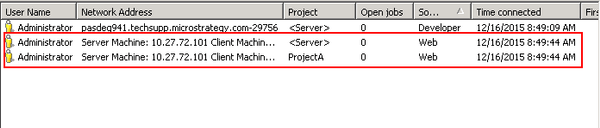
When users navigate between 4 projects during one web user session, project sessions for each of the projects are re-used. However, when users navigate between 5+ projects, a new project session is created each time the user access the 5th or more project:
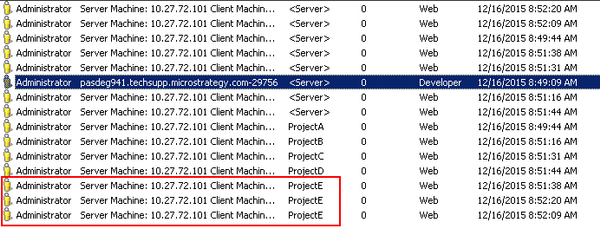
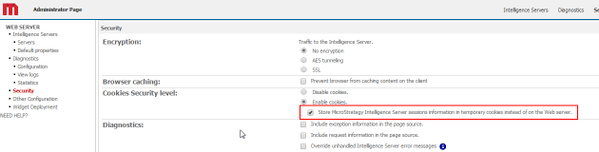
This behavior can only be observed when the session information is stored locally in a cookie on the client machine. This cookie is enabled on the Web Administration page > Security > Cookies Security Level > "Store Strategy Intelligence Server session information in temporary cookies instead of on the Web Server"
CAUSE
This behavior is caused by a browser limitation that allows cookies to have a maximum size of 4kb. If the cookie size exceeds 4kb, the updated cookie is not accepted. Each project session uses a certain amount of space in the session cookie. In this scenario, the project session information for the 5th and more projects cannot be stored in the cookie and therefore a new session is created each time the user accesses the project.
ACTION
Disable the session cookie on the Web Administration page > Security > Cookies Security Level > "Store Strategy Intelligence Server session information in temporary cookies instead of on the Web Server"
