EducationSoftwareStrategy.com
StrategyCommunity

Knowledge Base

Product

Community

Knowledge Base

TopicsBrowse ArticlesDeveloper Zone

Product

Download SoftwareProduct DocumentationSecurity Hub

Education

Tutorial VideosSolution GalleryEducation courses

Community

GuidelinesGrandmastersEvents
x_social-icon_white.svglinkedin_social-icon_white.svg
Strategy logoCommunity

© Strategy Inc. All Rights Reserved.

LegalTerms of UsePrivacy Policy
  1. Home
  2. Topics

KB275798: New feature in 10.2: Replace dataset with option to map objects


Community Admin

• Strategy


New feature in 10.2: Replace dataset with option to map objects

SUMMARY:
Prior to Strategy Web 10.2, there is a replace dataset option in Report Service document, but no object mapping, which means user cannot map old objects from old dataset to new objects from new datasets.
Starting from 10.2, a feature--dataset reconciliation is introduced, user is now able to map the objects between new dataset and old dataset easily.
 
Detailed Description:
Follow below steps to reproduce with Strategy Tutorial project:
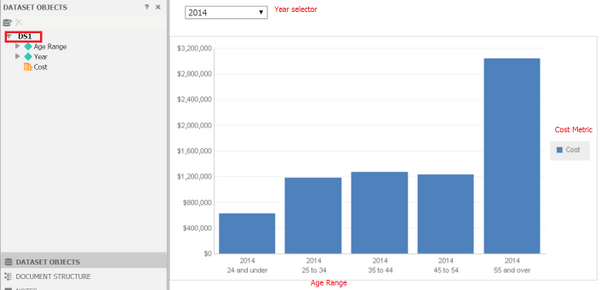
  • Login to Strategy Web 10.2, open an existing Report Service document that you want to replace one or more datasets, as shown below:

ka04W000000Og2XQAS_0EM440000002V5i.jpeg
  • Selects the option to Replace Dataset or Replace All Datasets in Design mode or in Editable view mode, a dialog displayed to pick a dataset.
  • Once a dataset is selected, the Replace Object dialog that allows matching old dataset objects with the new ones is launched, as shown below:
ka04W000000Og2XQAS_0EM440000002V5o.jpeg
  • Map the old objects with new objects in same type or choose "Remove from document" for non-using objects.
  • Clicking OK on the dialog should show the updated datasets in the reconciled document.
ka04W000000Og2XQAS_0EM440000002V5j.jpeg

Comment

0 comments

Details

Knowledge Article

Published:

July 12, 2017

Last Updated:

July 12, 2017