SUMMARY:
This article describes a known defect in Strategy Developer 10.x where after modifying the Form Format and Datatype of the Freeform SQL attribute, the column alias is not updated. This leads to selectors not working properly with the affected attribute.
SYMPTOM:
After changing the Form Format of an attribute column in a Freeform SQL report and updating the Schema, the Column Alias does not update to reflect the changes.
STEPS TO REPRODUCE:
1. Create a Freeform SQL report with an ID and DESC form for an attribute called FFSQL_Att (arbitrary) using the following SQL (if desired):
select distinct [COUNTRY_ID],
[COUNTRY_NAME]
from [LU_COUNTRY]
2. Set the DESC form as Date datatype instead of Text
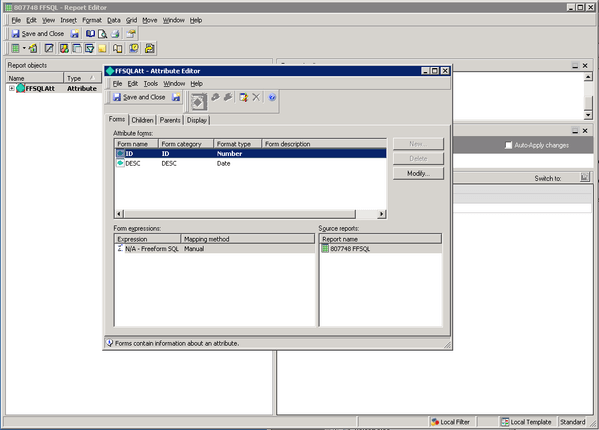
3. Save and close the report
4. Edit the report and edit the attribute, change Form Format to "Text"
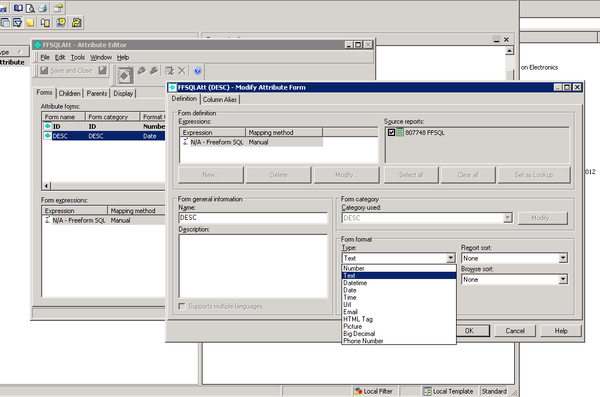
5. Save changes and close the report
6. Update schema
7. Edit the report in the Freeform SQL editor, change the Type of the DESC form to Text
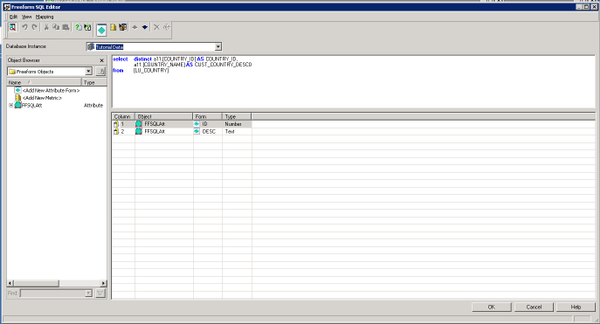
8. Save changes and close the report
9. Update schema
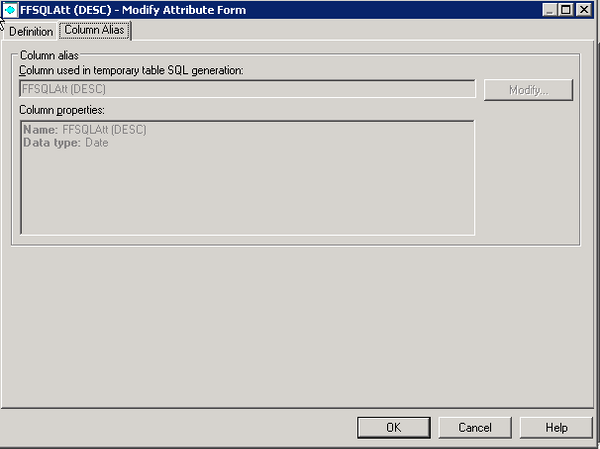
10. Edit the report and edit the attribute, check the column alias. Notice the column alias still shows as Date. This is incorrect and will lead to issues when attempting to use selectors based on this attribute.
CAUSE:
This is a known defect in Strategy Developer 10.x.
ACTION:
Currently this issue is still being reviewed for feasibility by our Technology team and it is not scoped for any upcoming scheduled Strategy release.
WORKAROUND:
Recreate the attribute form within the Freeform SQL editor by removing and re-adding it.
NOTE: As a cleanup measure after the fact, "delete unused managed objects" can be used to cleanup the removed Freeform SQL attribute form.
