SUMMARY:
This article addresses an issue that occurs when executing the training report to create a predictive metric which results in the error "Unsupported data type '64-bit integer'" In Strategy Developer 10.1.
SYMPTOM:
When viewing the predictive model made by executing the training metric based off of a metric with data type "Big Integer" the following error message appears:

THIS MODEL IS NOT VIEWABLE

Due to a technical issue, it was not possible to create a model.
Unsupported data type 64-bit integer found in dependent variable in row 0.
This model has been designated by its producer as a Non-Scoring Model. This means that, while the PMML may contain valuable descriptive information about the model creation process, it does not contain a model worthy of deployment for scoring.
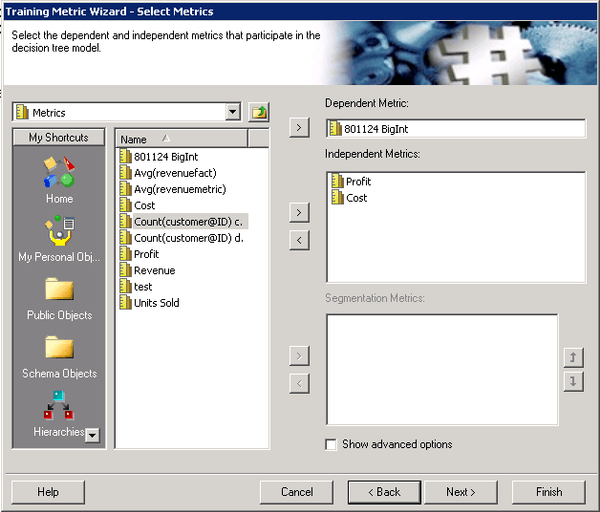
3. Create a report with Category and the training metric created in step #2
4. Run the report
5. Right-click the non-scoring metric generated and select "View Predictive Model" and notice the error message states the data type of the dependent metric is unsupported.
CAUSE:
This is caused by a known defect in Strategy Developer 10.1.
ACTION:
This issue has been fixed in Strategy 10.3. Take advantage of upgrading for a fix.
WORKAROUND:
Using the datatype ‘Integer’ will prevent this error from occurring.
The Strategy Internal Reference Number for the issue discussed in this technical note is DE23505.
