In Strategy Web, there is an out-of-box account in Tutorial Project with user name "Guest" under user group "Public / Guest", as shown below:

But this account is not used when user login with Guest authentication.
Test the issue by modifying the full name of guest account, as shown below:

Configure Guest Authentication following KB16135: How to enable the guest user account in MicroStrategy Web 9.3.x and above. and login with Guest Authentication link in login page, as shown below:
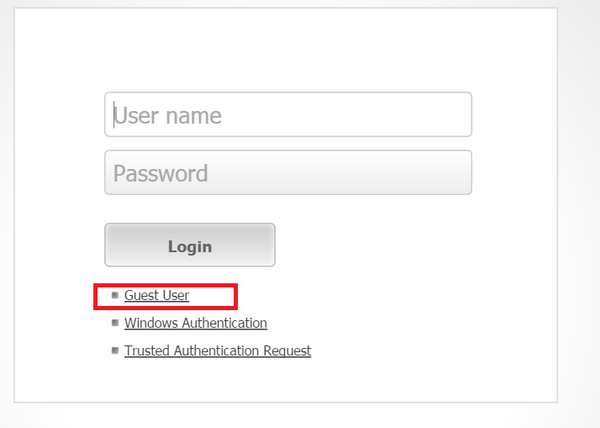
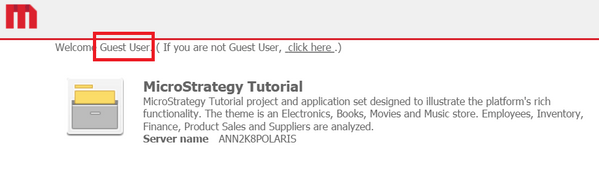
After login, the user name is "Guest User".
Login with guest and blank password using standard authentication, as shown below:
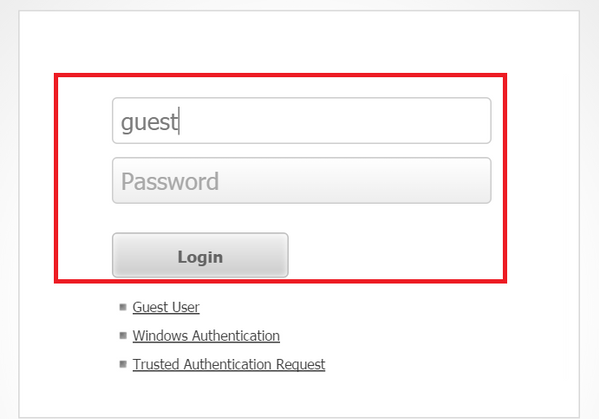
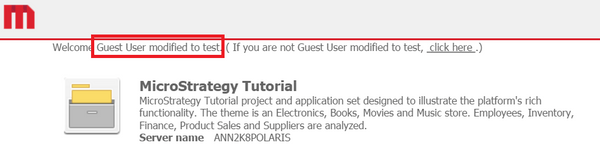
After login, the user name is display correctly as "Guest User modified to test".
Check system monitors, two different user account is connected:

Above test indicates that the out of box user account "guest" is not the account used when login with Guest authentication in web. Any changes made on "guest" account is not reflected when user login with Guest authentication. For any preferences or privilege changes that Administrator want user with Guest authentication to have, they should be applied to the "Public / Guest" user group.
