EducationSoftwareStrategy.com
StrategyCommunity

Knowledge Base

Product

Community

Knowledge Base

TopicsBrowse ArticlesDeveloper Zone

Product

Download SoftwareProduct DocumentationSecurity Hub

Education

Tutorial VideosSolution GalleryEducation courses

Community

GuidelinesGrandmastersEvents
x_social-icon_white.svglinkedin_social-icon_white.svg
Strategy logoCommunity

© Strategy Inc. All Rights Reserved.

LegalTerms of UsePrivacy Policy
  1. Home
  2. Topics

KB278378: Attribute Object Selectors appear empty in MicroStrategy Mobile 10.2 iOS.


Community Admin

• Strategy


This document discusses about a known issue in MicroStrategy Mobile 10.2 iOS that attribute object selectors appear empty.

SYMPTOM:
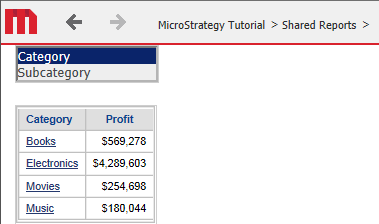
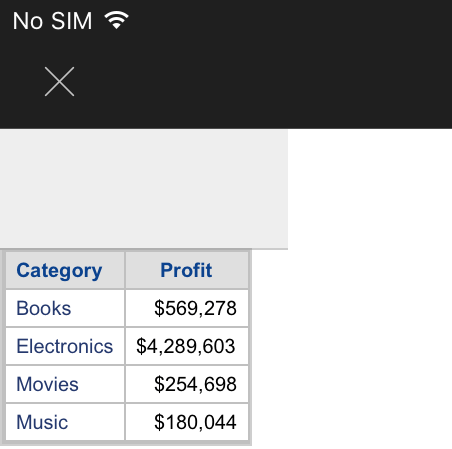
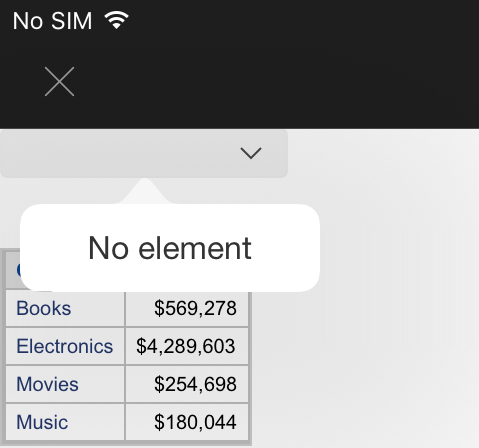
In Strategy Web 10.1, the ability to have an attribute object selector was introduced to change the attribute displayed in a grid. This works as expected in Strategy Web 10.2. However the attribute object selector appears as an empty gray box in Strategy Mobile 10.2 as shown below.
In Strategy Web 10.2:
ka04W000000Ohp7QAC_0EM4400000029u1.jpeg

In Strategy Mobile 10.2 - list box style:
ka04W000000Ohp7QAC_0EM4400000029u4.jpeg

 
In Strategy Mobile 10.2 - dropdown style:
ka04W000000Ohp7QAC_0EM4400000029tp.jpeg


 No element

 
STEPS TO REPRODUCE:
Follow these steps to reproduce the issue in a Strategy Tutorial Project.

  • Create a report and add the attributes: Category and Subcategory and the Profit metric.
  • Save the report and create a new document from it.
  • In the document, insert a selector that targets the grid.
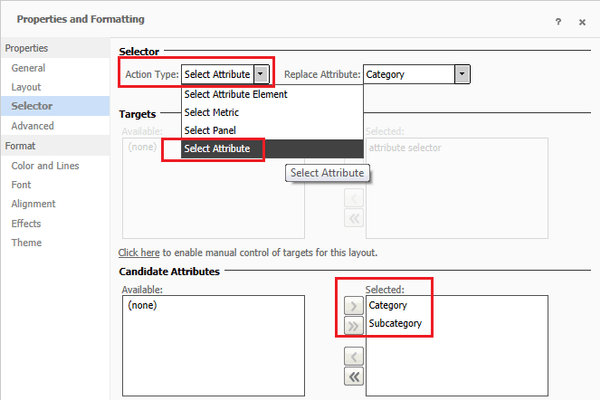
  • Change the 'Action type' to "Select Attribute", and select Category and Subcategory as 'Candidate attributes', as shown below:
ka04W000000Ohp7QAC_0EM4400000029to.jpeg
  • Run the document in Presentation mode and ensure it appears correctly. 
  • Run the document in Strategy Mobile 10.2 and notice that the selector appears empty. 

 
CAUSE:
This is an identified defect in Strategy Mobile 10.2.
 
ACTION:
Currently this issue is still being reviewed for feasibility by our Technology team and it is not scoped for any upcoming scheduled Strategy release.
 
The Strategy Internal Reference Number for the issue discussed in this technical note is DE26882.


Comment

0 comments

Details

Knowledge Article

Published:

April 11, 2017

Last Updated:

April 11, 2017