SYMPTOM:
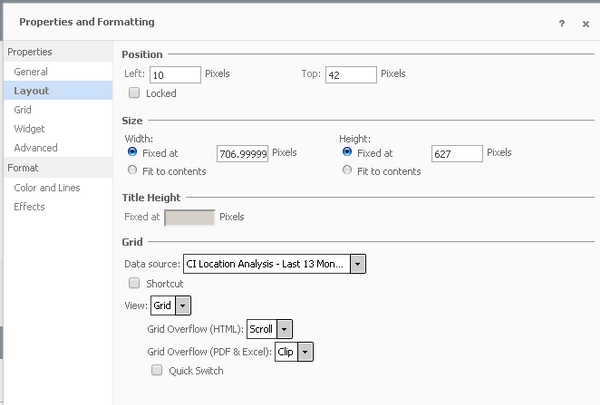
In Editable mode, when right mouse click on a grid to see the Properties and Formatting dialog, it is observed that Font, Number, Alignment properties are missing.
CAUSE:
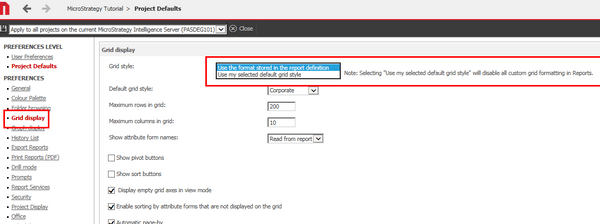
This behavior is caused by the "Grid Style" Web preference. When it is set to "Use my selected default grid style" then all custom grid formatting is disabled.
ACTION:
Change the Web preference "Grid Style" under User/Project defaults > Grid Display to "Use the format stored in the report definition" to allow custom formatting for grids in editable mode.
