SUMMARY
This technical note shows how to solve one particular cause of the error "Internet Explorer cannot display the web page". The cause described in this technical note is due to incorrect syntax of a Windows registry key. The impact is limited to Strategy Web 9.x product only Windows operating system, IIS 7 web server, and Internet Explorer 9. The correct solution is described in this document, and there are other solutions available here for similar errors.
SYMPTOM
When trying to access the Main.aspx page of Strategy Web 9.x the end user receives the error below. This happens in IIS 7 web server using Internet Explorer 9.
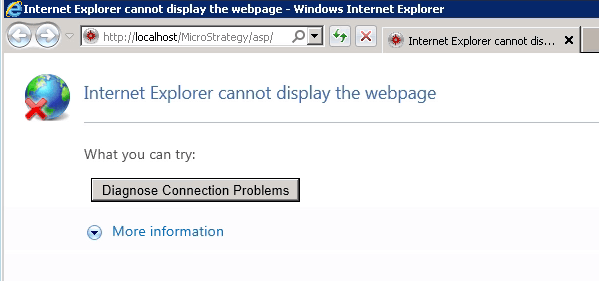
Internet Explorer cannot display the web page
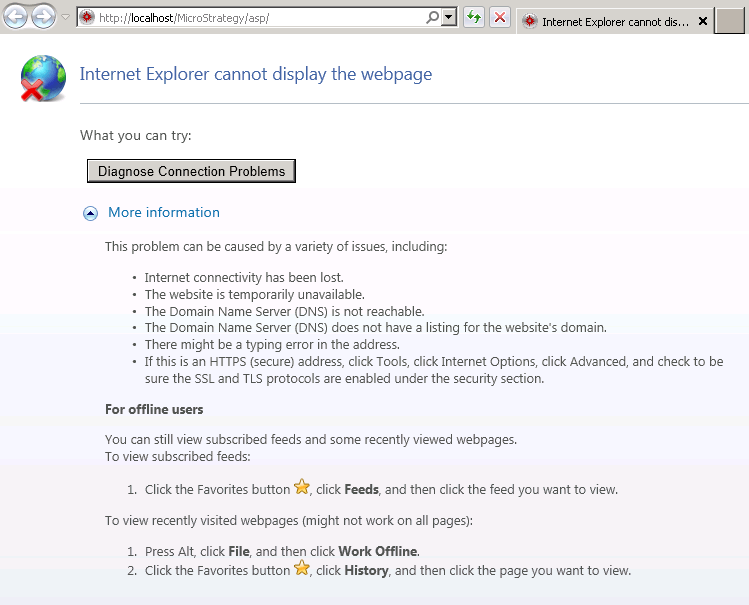
The IIS web server status shows that it is still running.
STEPS TO REPRODUCE
Follow these instructions to reproduce the issue.
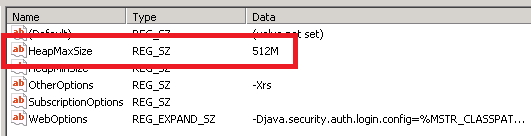
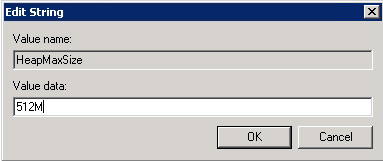
HKEY_LOCAL_MACHINE\Software\Wow6432Node\MicroStrategy\JNI Bridge 64\Configuration\JVM Options\HeapMaxSize
Video:
You can find a detailed video on how this issue is reproduced here: Tech Note 45570. Steps to reproduce
CAUSE
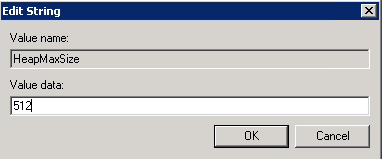
The cause of this issue is because the value under "Value data" described above has incorrect syntax. The character "M" is required as capital letter after the numeric value of the HeapMaxSize.
ACTION
Add an "M" character after the numeric value put in for HeapMaxSize in the Windows Registry Editor. Using the example in the Steps to Reproduce, the correct value under "Value data" should display as 512M.
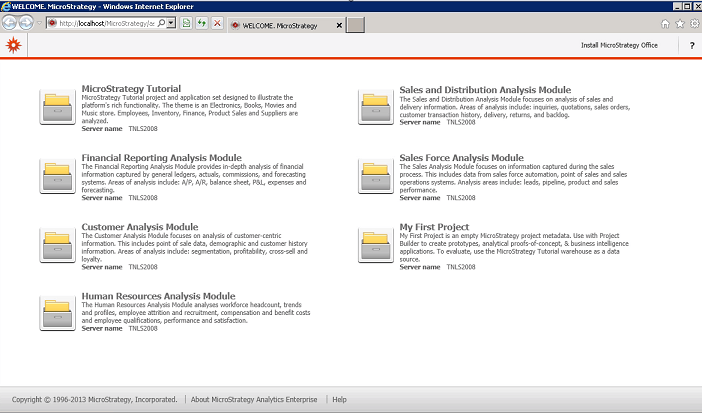
Restart IIS to take effect. After the changes have been applied, the Main.aspx page in Strategy Web should be able to be accessed successfully.
ADDITIONAL TROUBLESHOOTING
If the steps above do not resolve the issue, please consider calling Strategy tech support with the following information of troubleshooting already done:
Other resources with different solutions to the "Internet Explorer cannot display the web page":
KB3721: Internet Explorer cannot display the webpage" error message appears when opening Strategy Web and Web Administrator 9.4.1 and above on Windows based systems with IIS
KB39747: "Internet Explorer cannot display the webpage" error message appears when clicking the history list message link sent to email using Distribution Services
KB30725: "Internet Explorer cannot display the webpage" occurs when loading the login or Portal Administrator page for the Strategy Narrowcast Subscription Portal 9.x.
TO LEARN MORE:
KB30885: How to increase the Java Virtual Machine Heap size for Strategy Web 9.x and 10.x running on 64 bit Windows.
Java Heap Size recommendations:
As JVM heap size requirements differ between customer environments, Strategy Technical Support does not provide any recommended specific values for the JVM Heap Size.
Strategy Installation and Configuration Guide 9.x Product Manual
Chapter 6. Deploying with IIS (Windows). Section: Deploying Strategy Web
Third Party Software Installation WARNING:
The third-party product(s) discussed in this technical note is manufactured by vendors independent of Strategy. Strategy makes no warranty, express, implied or otherwise, regarding this product, including its performance or reliability.
Article Reference Number:
KB2804
