EducationSoftwareStrategy.com
StrategyCommunity

Knowledge Base

Product

Community

Knowledge Base

TopicsBrowse ArticlesDeveloper Zone

Product

Download SoftwareProduct DocumentationSecurity Hub

Education

Tutorial VideosSolution GalleryEducation courses

Community

GuidelinesGrandmastersEvents
x_social-icon_white.svglinkedin_social-icon_white.svg
Strategy logoCommunity

© Strategy Inc. All Rights Reserved.

LegalTerms of UsePrivacy Policy
  1. Home
  2. Topics

KB284455: Grids do not get clipped in Presentation mode even though Grid Overflow(HTML) setting is set to clip in MicroStrategy Web 10.2


Community Admin

• Strategy


SYMPTOM:
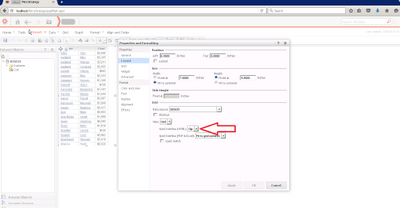
In Strategy Web 9.4.1 Report Services Documents using Express mode, users can choose to clip the contents of a grid by specifing it in the grid properties and formatting.
ka04W000000OftCQAS_0EM4400000025RI.jpeg

Set Grid Over flow HTML) to Clip
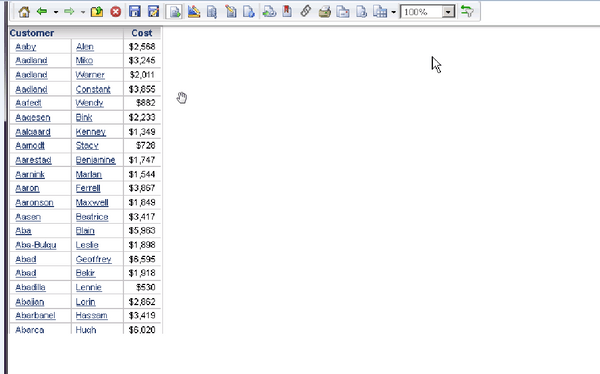
This setting then renders the grid without a scroll bar in all modes as seen below.
ka04W000000OftCQAS_0EM4400000025RR.jpeg

Notice Grid is clipped
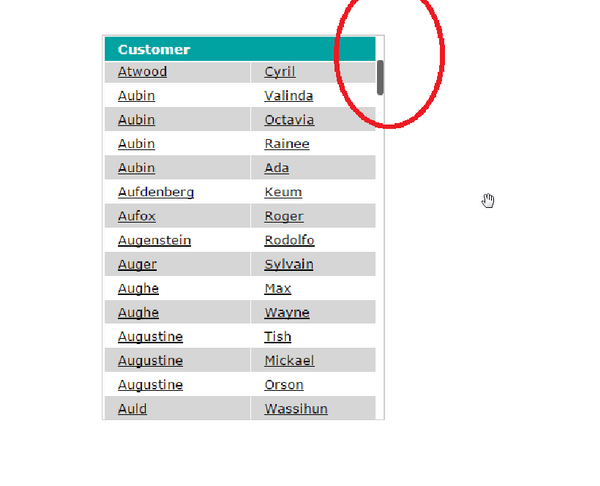
However in Strategy Web version 10.2, the grid does not get clipped in Presentation mode. Instead, a scroll bar is noticed inside of the grid, as shown below.
ka04W000000OftCQAS_0EM4400000025RT.jpeg

Notice scroll bar in grid 
 
STEPS TO REPRODUCE:
Follow these steps to reproduce the issue in a Strategy Tutorial Project.
 

  1. Create a report services document with the customer attribute in the grid.
  2. Right click on the grid and navigate to Properties and formatting > Layout.
  3. In the Grid options select gridclip in data source, clip in Grid Overflow(HTML).
  4. Run the document in presentation mode. Notice that the grid is not clipped and there is a scroll bar. This is not consistent with the behavior of the grid clip feature in previous versions such as Strategy Web 9.4.1.


CAUSE:
This is an identified defect in Strategy Web 10.2.
 
ACTION:
This issue has been addressed in Strategy Web 10.4. Upgrade to this version to take advantage of this fix.
 
The Strategy Internal Reference Number for the issue discussed in this technical note is DE29647.


Comment

0 comments

Details

Knowledge Article

Published:

June 13, 2017

Last Updated:

June 13, 2017