SUMMARY:
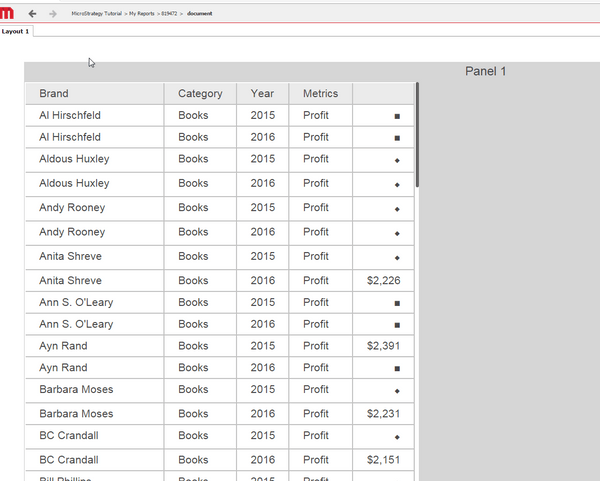
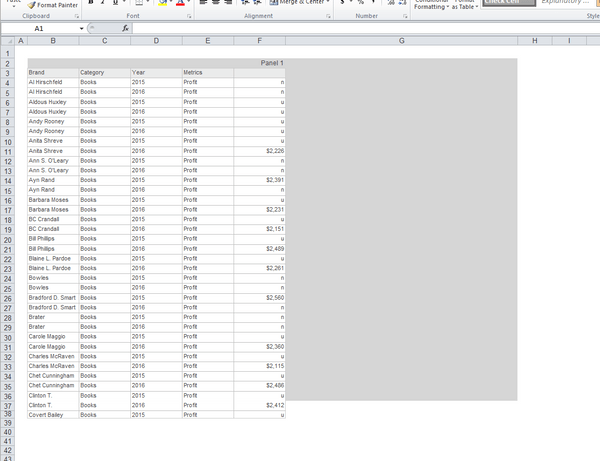
When quick symbols are used in a document grid for a threshold, as per the screenshot below, and then exported to Excel using .xlsx format, the end user will see that the quick symbols are converted to letters such as 'u' and 'n.'
STEPS TO REPRODUCE:
1. Create a document based off of a report in Strategy 10.2
2. Insert a grid on the panel of the document and place the attributes 'Brand,' 'Category,' and 'Year' on the grid
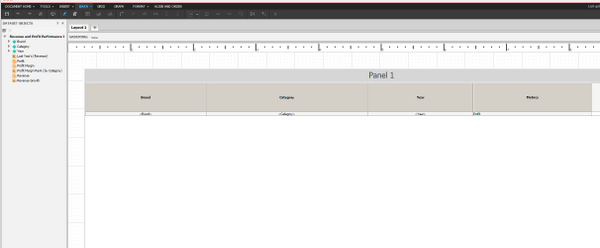
3. Place the metric 'Profit' from Strategy Tutorial on the grid
4. Run this document in Editable Mode, right click on the metric 'Profit,' select 'Thresholds' and 'Advanced'
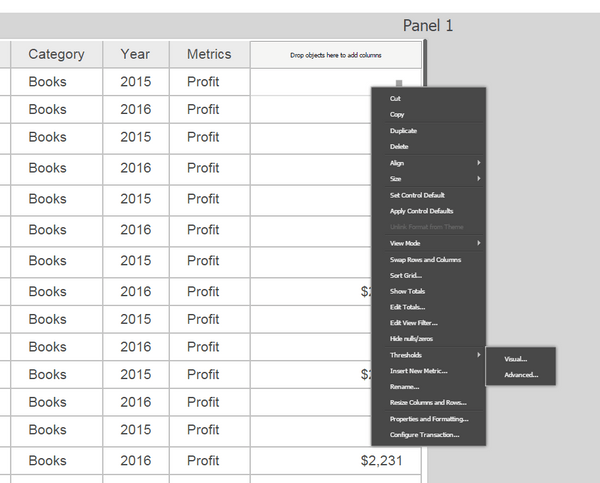
5. Insert a number of thresholds for the metric 'Profit' and ensure we are replacing data with a quick symbol
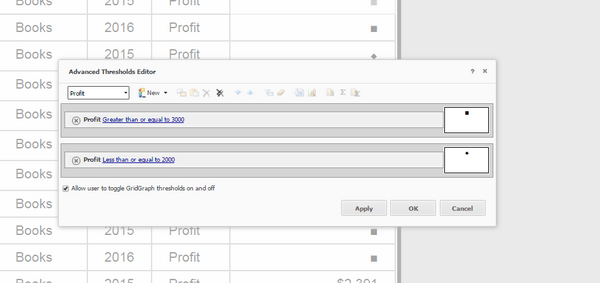
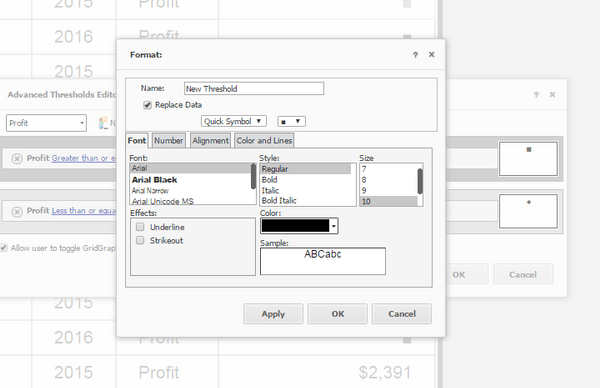
6. Run the document in Presentation Mode and ensure quick symbols appear
7. Export the document to Excel using .xlsx format
8. See that the document has converted the quick symbols to letters
CAUSE:
The is a known issue currently being addressed internally by Strategy
ACTION:
Contact Strategy Technical Support for an update on the status of the issue.
WORKAROUND:
In order to workaround this issue, end users have two options:
A. The end user can change preferences to export to .xls format by changing web preferences to use export using Excel Verion "Excel XP/2003" under Preferences > Export Reports > Excel Options
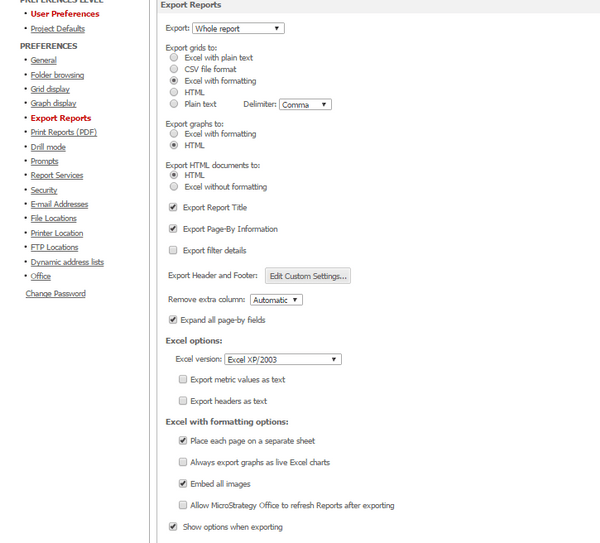
B. The end user can export a report rather than a grid on a document and the issue will not occur.
The Strategy Internal Reference Number for the issue discussed in this technical note is DE30565.
