SYMPTOM:
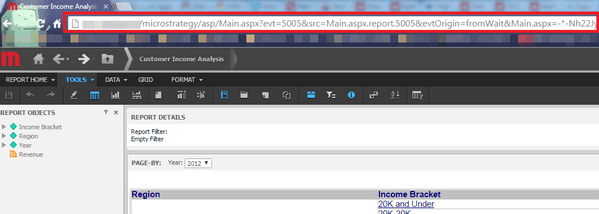
In Strategy Web 10.2 and earlier, when executing a dashboard or following a URL to a Strategy folder, report or document, the URL in the address bar would reflect all the events and parameters as part of the URL information, as shown below. It would follow a format similar to http://<Web Server name>/MicroStrategy/asp/Main.aspx?evt=5005&src=Main.aspx.report.5005&evtOrigin=fromWait
The main point is that all additional parameters in Strategy would be displayed in the address bar.
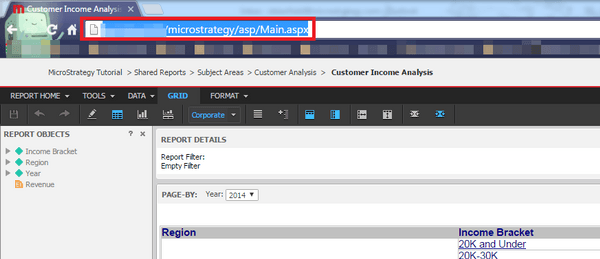
However, in Strategy Web 10.2, all executions resolve with the URL stopping after Main.aspx or mstrWeb, for ASP or JSP respectively, as shown below. If using ASP Web application server, it will follow a similar format to http:<Web Server name>/MicroStrategy/asp/Main.aspx. If using JSP Web application server, it will follow a similar format to http:<Web Server name>/MicroStrategy/servlet/mstrWeb.
CAUSE:
This is working as designed in Strategy Web 10.2. As most GET requests in Strategy Web were changed to POST for added security. HTTP requests using the POST method place form parameters in the body of the HTTP message instead of the header, requiring far more intrusive methods to capture. A request has been logged to describe this change in the product documentation and manuals.
ACTION:
This issue has been reviewed for feasibility by our Technology team and it is not scoped for any upcoming scheduled Strategy release.
Please contact Strategy Technical support for update on this issue.
