EducationSoftwareStrategy.com
StrategyCommunity

Knowledge Base

Product

Community

Knowledge Base

TopicsBrowse ArticlesDeveloper Zone

Product

Download SoftwareProduct DocumentationSecurity Hub

Education

Tutorial VideosSolution GalleryEducation courses

Community

GuidelinesGrandmastersEvents
x_social-icon_white.svglinkedin_social-icon_white.svg
Strategy logoCommunity

© Strategy Inc. All Rights Reserved.

LegalTerms of UsePrivacy Policy
  1. Home
  2. Topics

KB287679: "Invalid object ID" error appears when accessing the Main page in MicroStrategy Web 10.0 and 10.1.


Community Admin

• Strategy


This knowledge base article describes an identified defect in MicroStrategy Web 10.0 and 10.1 where users receive the "Invalid object ID" error when accessing the MicroStrategy Web home page. This issue is caused by having AES tunneling enabled in the MicroStrategy Web Admin Page > Security > Encryption. This has been fixed in MicroStrategy Web 10.2. Upgrade to this version to take advantage of this fix.

SYMPTOM:
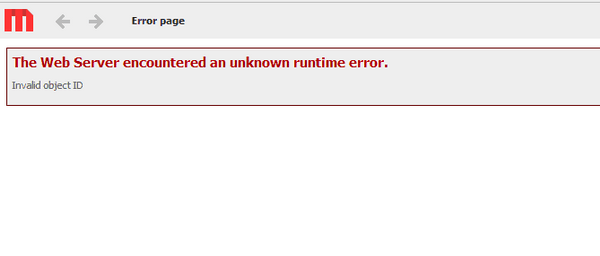
When attempting to access the Main page in Strategy Web 10.0 and 10.1, users receive the error shown below:
ka04W000000ObfPQAS_0EM4400000025VJ.jpeg


Sample code/error:

The Web Server encountered an unknown runtime error. 
Invalid object ID



CAUSE:
This is an identified defect in Strategy Web 10.0 and 10.1. This issue is caused by having AES tunneling enabled in the Strategy Web Admin Page > Security > Encryption, as shown below:

ka04W000000ObfPQAS_0EM4400000025VL.jpeg

AES tunneling was deprecated, and no longer works, but the option remains available in the Admin page.
ACTION:
Disable AES tunneling or switch to using SSL encryption. This issue has been addressed in Strategy Web 10.2. Upgrade to this version to take advantage of this fix, where the option for AES tunneling has been removed.
This issue has been logged as Rally ID: DE67226 and KB11324


Comment

0 comments

Details

Knowledge Article

Published:

June 8, 2017

Last Updated:

September 5, 2018