In Strategy Developer 9.4.1, after import new dimensions from a Microsoft Analysis Service cube and update cube structure, error 'The elements shown in the following hierarchy has invalid definition or no longer exists' is received when try to broswe MDX attribute elements.
STEPS TO REPRODUCE:
1. Import a MSAS cube into a new project, ensure MDX attributes can be broswed fine;
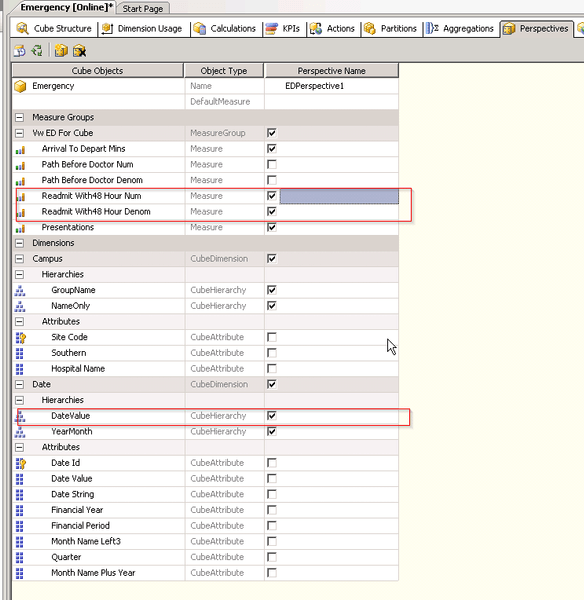
2. Midofy the Microsoft Analysis Service cube in SQL Server Management Studio, adding a new dimension and measures into the cube, as below picture shown:
3. In Strategy Developer, update cube structure in MDX cube catalog, notice new hierarchies and metrics are imported in;
4. Go to Developer Data Explorer field, error pops out when try to broswe some attributes, as below picture shown:

Error(s) occurred while loading report: DSSSQLEngine: Schema loading error: There is error in report definitin.
The elements shown in the following hierarchy has invalid definition or no longer exists:
Report (-). -Dimension/Hierarchy-Attribute:Object is not found in DFCSchema during DFC conversion. xxx (All).
Error in Process method of Component: SQLEngineServer, Project xxx, Job xx, Error Code= -2147212797

CAUSE:
This is a known issue in Strategy 9.4.1.
ACTION:
This issue is fixed in 9.5.1 Hotfix 1 and 10.x. Upgrade to take advantage of the fix.
KB 000013467
