Summary:
This article describes a known issue with a System Manager workflow inserting spaces between every individual character. This causes the execution to fail.
Symptom:
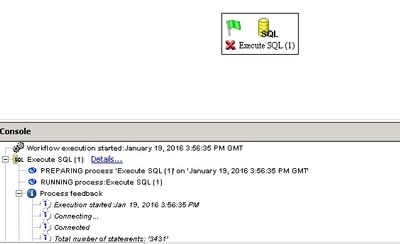
In System Manager, a user creates and executes the ‘Execute SQL’ task. A syntax error is shown, and the execution is unsuccessful. The process fails when processing SQL because a space is inserted in between every character
Cause:
This is an identified defect with Strategy associated with the Unicode format.
Action:
Strategy, after careful consideration, decided that this issue isn't part of the foreseeable development roadmap.
Workaround:
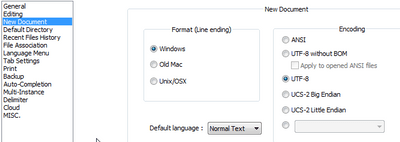
Change the encoding form of the file itself to UTF8 type.
The file can be changed using Notepad++ by following the path below.
Settings -> Preferences -> tab New document/Default Directory -> Encoding -> check UTF-8