SYMPTOM:
In MicroStratevery versions 10.0 - 10.3 when attempting to use SSL with the "Verify server certificate" option enabled will error out. The error "invalid procedure call or argument" is seen in the DSSerror log when trying to connect to an Intelligence Server using SSL. This only occurs when the checkbox inside the Project Source to "Verify servers certificate" is enabled.
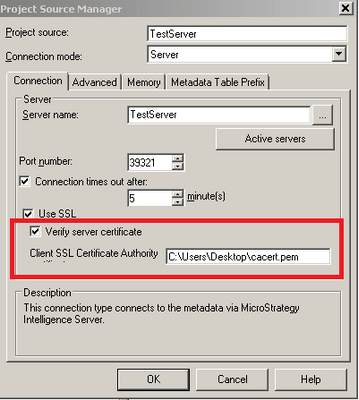
Verify server certificate
ERROR:
Developer will show the error "Network: Failure to communicate with the Intelligence Server."
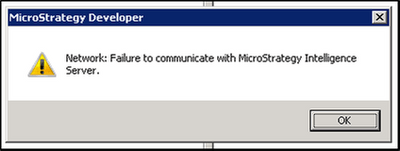
In the DSSError.log you will find "Invalid procedure call or argument"
CAUSE:
This is a known defect with Strategy Secure Enterprise 10.0 - 10.3.
WORKAROUND
Disable the option to verify server certificate. SSL will still be used and the connection will go through successfully.
ACTION:
This issue has been addressed in Strategy Secure Entrprise platform release 10.4 HF2 and later versions. Upgrade to this version or later feature release for this functionality.
Article reference: KB290104
