SYMPTOM:
When setting up Usher, if the customer’s Usher server certificate is not from a trusted certificate authority (CA), it won’t be accepted by the Usher app or the AD (ActiveDirectory) agent. This will cause the communication between the Usher app and the Usher server and the AD agent and Usher server to be broken.
CAUSE:
This is a known issue caused by the customer’s Usher server certificate needing to be issued by a CA trusted by both the Usher app and the AD agent.
ACTION:
Resolving this involves adding the certificate to three different places: the iOS Usher app, the Android Usher app, and the AD agent.
First, retrieve the complete certificate chain and save the certificates for Root CA and all intermediate CA(s) as individual files. The following steps show how to use certutil.exe in Windows (built in tool, no need to install) to achieve this. Assuming the server is www.youtube.com, and we have the server certificate file youtube.crt (replace youtube.crt with the name of the server certificate file in the commands).
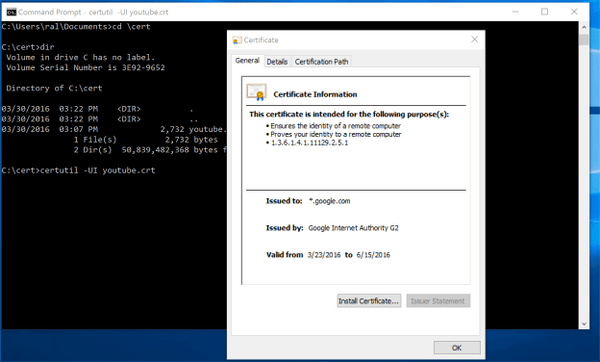
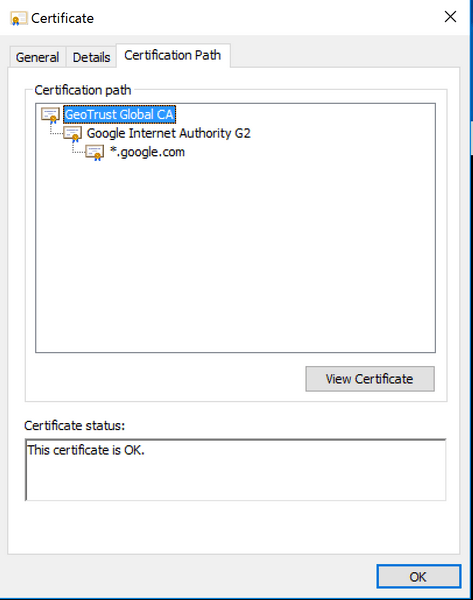
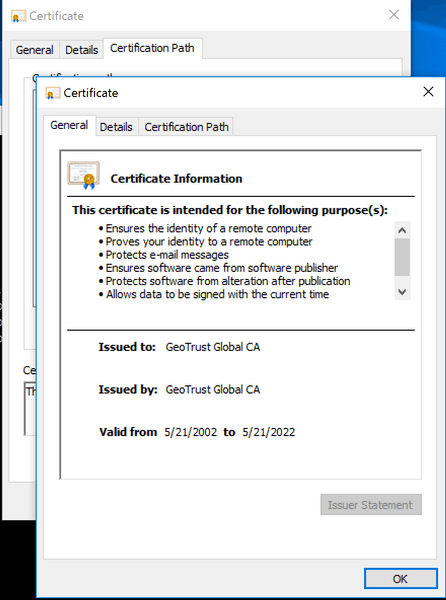
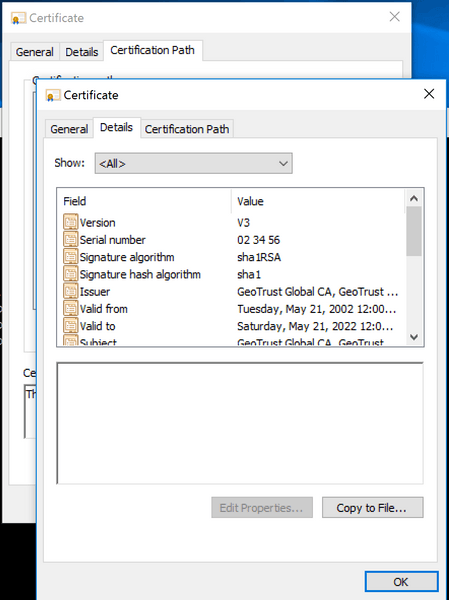
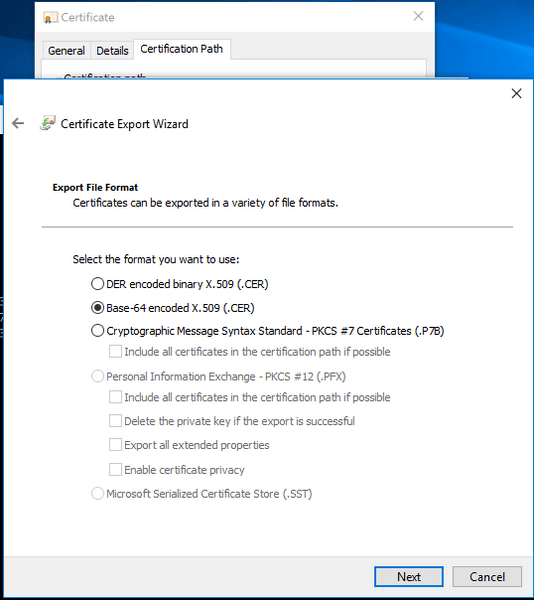
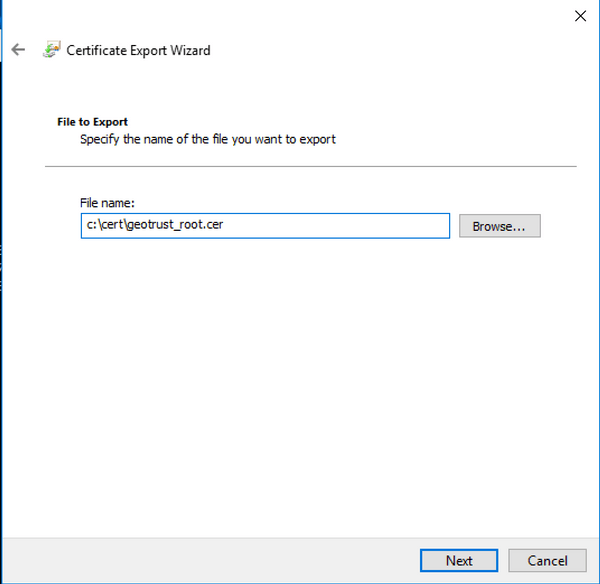
Perform the same steps for all the intermediate CA(s) and save the corresponding certificate(s) as file(s)
For the iOS Usher app, the issue can easily be fixed by installing the root CA certificate and the intermediate CA certificate(s) on the mobile device. This can be done manually, but is best performed through the MDM provisioning profile.
For an Android Usher app, to fix the issue send the certificate files to Usher Client team. Usher client team will:
For the AD agent, first copy all the CA certificates obtained to the agent machine. In the setup process, in the following Window, select “No” for “Is signing CA included in the default trusted signing CA list?” Then choose “Certificate path” and “CA alias” for each CA certificates.

Additional Note:
Ad Agent has tighter control on CAs to trust. Even if a CA is trusted by Usher app, the AD Agent may not trust it. In this case, get all the certificate files and follow the instructions toUS47520US47520 setup the trust of CA in AD agent.
Third Party Software Installation Warning:
The third-party product(s) discussed in this technical note are manufactured by vendors independent of Strategy. Strategy makes no warranty, express, implied or otherwise, regarding these products, including their performance or reliability.
