SYMPTOM:
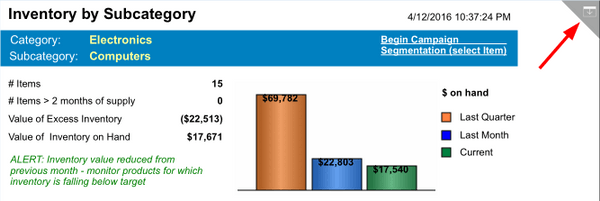
Developers can disable the navigation bars and action menu in Strategy Mobile 10.x only when a document is in Full Screen Mode. A document property allows the top right hand corner to be hidden from users removing their access to both the navigation bars and action menu:
ACTION:
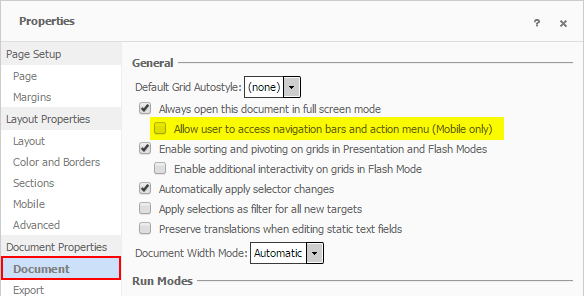
To disable the icon, edit the document using Strategy Web 10.x. Uncheck the following document property, Allow user to access navigation bars and action menu (Mobile only):
Save the changes to the document. Re-run the document on the Mobile device. Users will no longer see the icon to display neither the navigation bars or action menu.
The Strategy Internal Reference Number for the issue discussed in this technical note is 806075.
