EducationSoftwareStrategy.com
StrategyCommunity

Knowledge Base

Product

Community

Knowledge Base

TopicsBrowse ArticlesDeveloper Zone

Product

Download SoftwareProduct DocumentationSecurity Hub

Education

Tutorial VideosSolution GalleryEducation courses

Community

GuidelinesGrandmastersEvents
x_social-icon_white.svglinkedin_social-icon_white.svg
Strategy logoCommunity

© Strategy Inc. All Rights Reserved.

LegalTerms of UsePrivacy Policy
  1. Home
  2. Topics

KB294348: How to request a Product License or ESRI Map keys from MicroStrategy


Community Admin

• Strategy


This KB describes the self-service key generation process.

QUESTION:
How can a Support Liaison request a Product License or ESRI Map key from Strategy?
ANSWER:
Only Support Liaisons are able to request keys.  Carry out the following steps to request and instantly receive a Strategy Product License or ESRI Map key from Strategy:
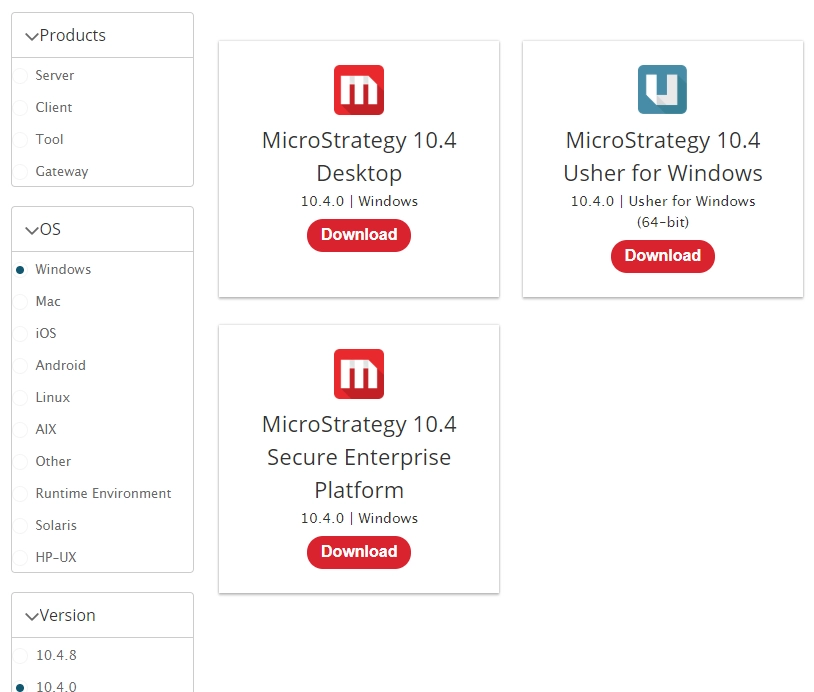
  • Go to the MicroStrategy Download site.
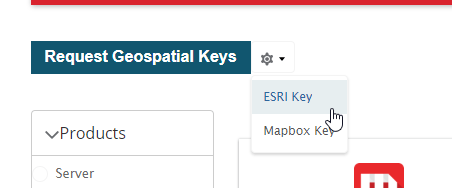
  • On the Products page, you will see our product selection and a Selection for GeoSpatial Key and ESRI Map Keys

ka04W00000148uDQAQ_0EM44000000QsAy.png
  • Select the option based on the type of key that you need and complete the required sections:

    IMPORTANT:  Each key is DSI specific. 
     

License Keys

  • To have a license key automatically sent to your enlisted email address just download the version of Strategy that you are looking for, the key will be forwarded to your email automatically.
  • In case a Key is not forwarded to your email address a case should be opened with Technical Support to have the keys manually sent directly to you.

Note: Strategy versions after 10.4 use Versionless key. If you need a key for 10.4 or above, if you downloaded a version 10.4 or later Strategy product the key should work for the version 10.11
Note: Strategy 10.4 Hotfix 8 use a specific key that is bound to this version only and it is only requested if you are installing the Hotfix 8  on the version 10.4
ka04W00000148uDQAQ_0EM44000000QsBD.png

 
ESRI Map Keys

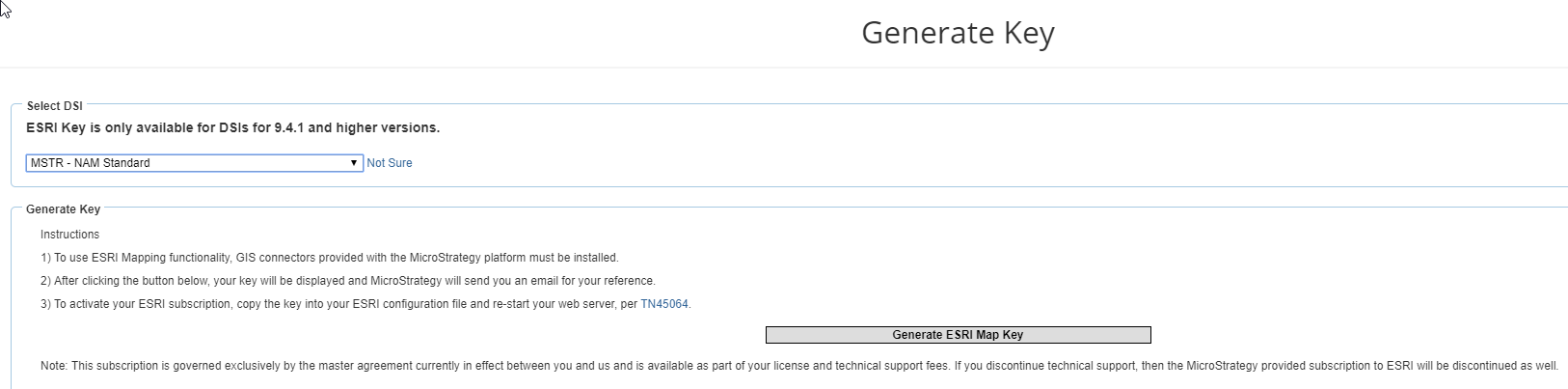
  • Clicking the ESRI Map keys link will take you to this page.
  • Select the DSI: 
ka04W00000148uDQAQ_0EM44000000QsBI.png


  • Complete the required sections and click on the appropriate button to receive your key.  Your key will be displayed on the screen and also emailed to you.

NOTE:  If there is a problem retrieving your key online, a Strategy Tech Support case will automatically be opened on your behalf and one of our Support Engineers will process the case.
KB294348


Comment

0 comments

Details

Knowledge Article

Published:

May 16, 2017

Last Updated:

September 20, 2018