SUMMARY:
This technical note addresses special characters (^ or !) not being displayed in the File Name after the file subscription on a schedule is created in Strategy 9.x or 10.x.
SYMPTOM:
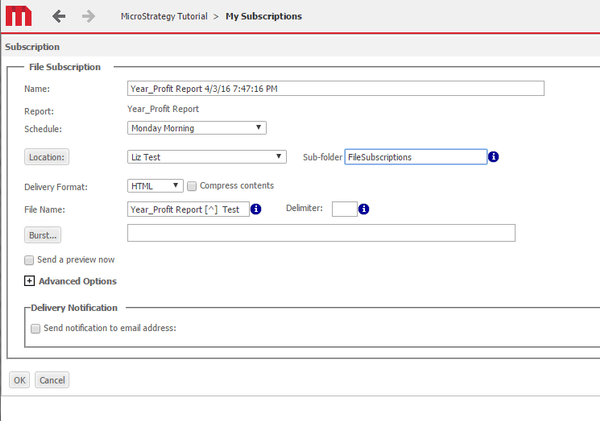
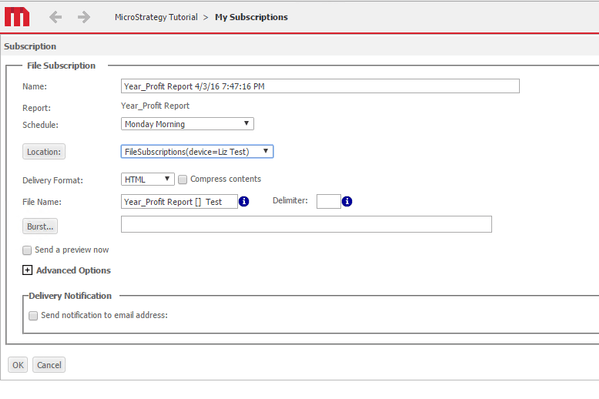
Create a file subscription, on a schedule other than “Send Now”, with a ^ or ! in the File Name in Strategy 9.x or 10.x.
When editing the subscription, the special character (^ or !) will no longer exist in the File Name.
STEPS TO REPRODUCE:

CAUSE:
This is an identified defect and has been logged to our Technology team for investigation.
ACTION:
Currently this issue is still being reviewed for feasibility by our Technology team and is not scoped for any upcoming scheduled Strategy release.
