SYMPTOM
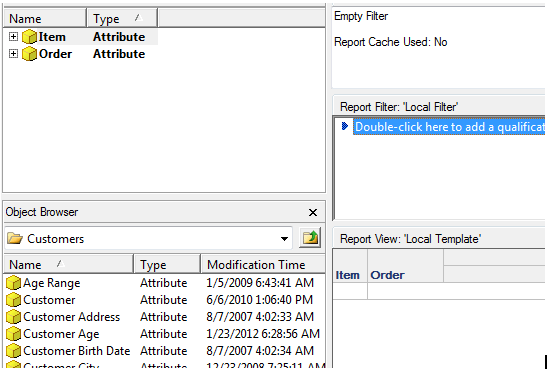
When defining a report in Strategy Tutorial with the “Item” and “Order” attributes on the grid and no other objects on the report as seen below, a cross join is generated when the report is executed.
CAUSE
This behavior is by design. There is no explicit parent-child relationship defined between the “Item” and “Order” attributes in the Strategy Tutorial data model despite the fact that there is an implicit many-to-many relationship between “Item” and “Order” through the “ORDER_DETAIL” table in the Tutorial warehouse. This reflects a deliberate design choice of the Strategy Tutorial data model to only define parent-child attribute relationships when the attributes are directly related to each other through lookup tables and foreign keys.
In the case of “Item” and “Order,” the relationship only exists through the fact table “ORDER_DETAIL” and there is no direct relationship between the lookup tables of these attributes. The relationship between these 2 attributes exists only through a fact table, therefore the relationship is not global, but is dependent on the context of how the attributes are being used on a report. Therefore, the user has to specify what factual relationship is desired by adding a fact in a metric or a relationship filter to locally define the relationship between “Item” and “Order” on a report.
ACTION
If users wish to avoid a cross-join between “Item” and “Order”, adding a metric from ORDER_DETAIL such as Revenue or Cost will locally define the relationship between Item and Order on the report and will eliminate the cross join.
