Strategy 10.3 is able to control the transaction submit order on the Panel Stack level but not on the Panel level.
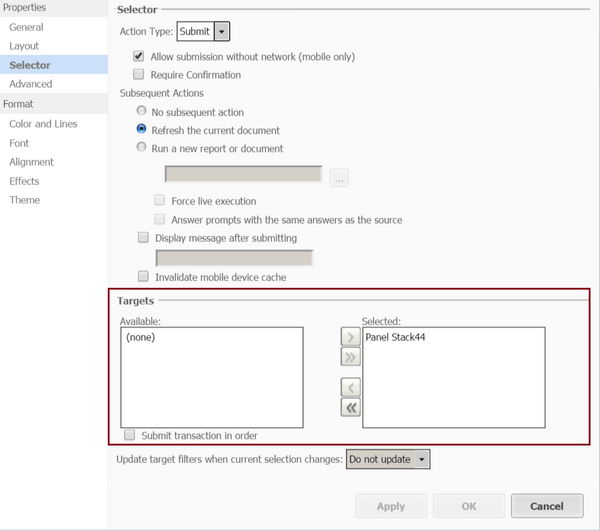
If users want to submit transactions in different panels of the same panel stack in sequence, a workaround is to insert a panel stack in each panel and move the transaction components to the panel stack. In the Properties of the Submit button, navigate to the Selector tab, choose the newly created panel stacks as the targets and enable “Submit transaction in order”.
Plese contact MicorStrategy Technical support for update on this issue.
KB298308
