SUMMARY:
The issue described in this document has been classified as a defect by Strategy. The issue occurs in Strategy 10.0 - 10.3 when users are logged in using the guest user account. A code fix for this issue is available in Strategy 10.4.
DESCRIPTION:
In Strategy 10.0 - 10.3, if a user is logged in as a guest user, they may encounter Access Control List (ACL) error messages such as the following when running reports and documents based on data import cubes:

Your request could not be processed. Please try again. If the problem persists, contact the Administrator.
Contact information:
(You do not have Execute access to the Attribute object 'xxx' Error in Process method of Component: ResolutionServer, Project xxx, Job xxx, Error Code= -2147214579.)
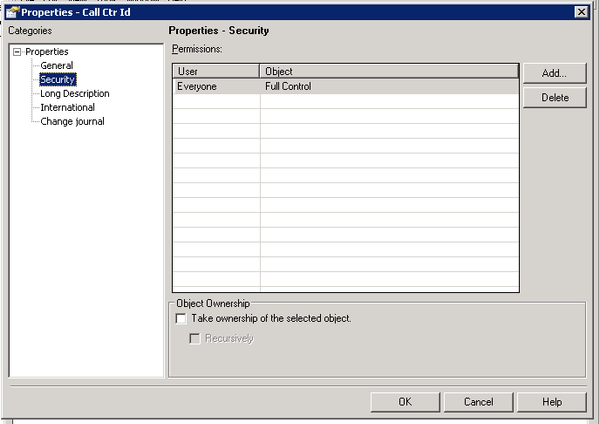
The guest user account is part of the Public/Guest, but is not part of the Everyone group. Therefore, the guest user account does not inherit any permissions to access the attributes and metrics created during data import.
ACTION:
This issue has been fixed in Strategy 10.4. In Strategy 10.4, the Public/Guest group is granted Full Control for managed objects created during data import. Upgrade to this version in order to take advantage of the fix.
WORKAROUND:
1. In Strategy Developer, do a search by name to find an attribute or metric created during data import. Make sure to go to Tools > Options and check the box for "Display Managed Objects".
2. Right-click on the attribute and select Properties.
3. Under Properties > Security, add the Public/Guest group and grant at least View access for the object.
The Strategy Internal Reference Number for the issue described in this technical note is DE30935.
