This technical note documents an issue when running a Command Manager workflow in Strategy System Manager 10.x and above.
"Exit Code: 10" error appears when running a Command Manager script through Strategy System Manager 10.x, as shown in the screenshot below:
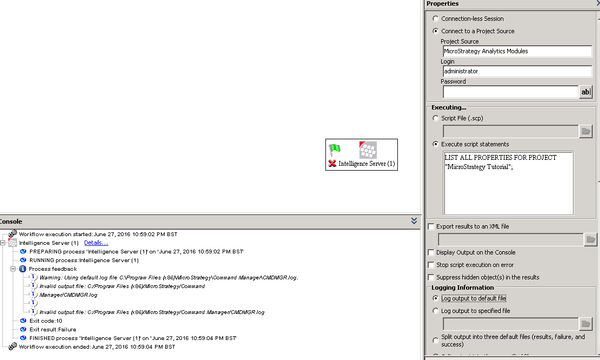
Exit code 10 means "File Manipulation Problem" and it is returned when the log file specified to store the execution trace is not accessible.
One possible cause for this issue is that the Windows user that is running the System Manager workflow does not have permission to access the output file.
When selecting "Log output to default file" under Logging Information, the log generated as a result of running the Command Manager script will be stored in "<Strategy_installation_path>\Command Manager\CMDMGR.txt". These are the ACLs by default for that log file:
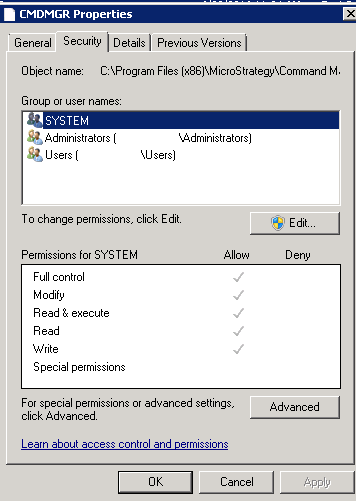
The Windows user running the System Manager workflow belongs to the Administrators group, which has full access on the file, and to the Users group, which has Read and Execute permissions.
Assign the Write permission to the Users group, in the output file Security tab.
The Strategy Internal Reference number for the issue described in this technical note is DE37642.
