If there is a firewall between the Web server and the Intelligence Server, the firewall may cause the TCP connection to the Web server to time out after it has been idle for a length of time. In this case, the firewall closes the connection to the Web server (outside the firewall) , but not to the Intelligence Server (inside the firewall). This results in the Intelligence Server never closing the TCP connection. Eventually, the Intelligence Server's connection limit is reached, and no more connections are allowed until the Intelligence Server is restarted.
You can avoid this problem in a number of ways:
To configure the Web server to keep connections alive
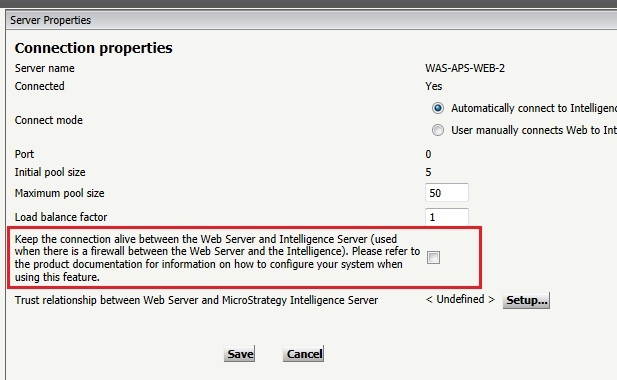
NOTE: The Keep Alive Option needs to be enabled at the Operating System level in order for the setting above to work properly. Please refer to article KB16328: How to enable and configure "Keep Alive" options for various operating systems in MicroStrategy Web Universal 9.x on how to enable Keep Alive options at operating system level.
