SYMPTOM:
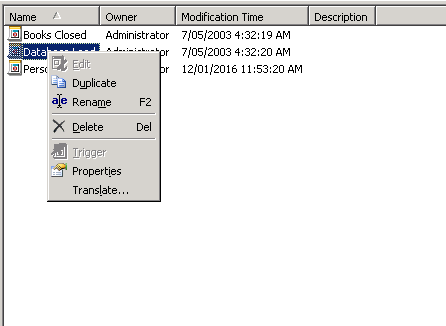
When right mouse clicking on an event in Strategy Developer, option 'Trigger' is greyed out, as shown below:
CAUSE:
This will occur if the 'Use Strategy Scheduler' option is disabled. This option controls the scheduling features in the Strategy environment. If this check box is cleared, neither the reports nor administration tasks can be scheduled.
Additional, when this option is disabled, the "Delivery Managers" icon is not available under Administration icons, as mentioned in KB33925: "Delivery Managers" icon is missing in a MicroStrategy Desktop 9.x 3-tier connection.
ACTION:
Enable the 'Use Strategy Scheduler' option under Intelligence Server Configuration > Server Definition > Advanced and restart the Intelligence Server.
