SYMPTOM
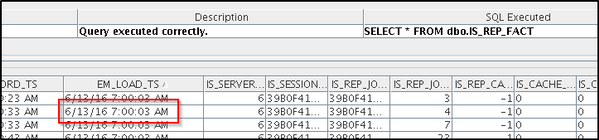
When running a custom time window data load in Strategy Enterprise Manager 10.x, it may be seen that the data in the Enterprise Manager warehouse fact tables (IS_REP_FACT, IS_DOC_FACT, IS_SESSION, etc.,) for the time window specified does not correctly get refreshed by the data load. This can be verified by checking the EM_LOAD_TS column in these tables which indicates the time of the data load that created the row:
CAUSE
Due to a known issue in Strategy Enterprise Manager 10.x for certain cases. If the end time for the custom time window matches the end time for another data load that has previously run, the custom time window will incorrectly use the beginning time for the previous data load when deleting and replacing data from the fact tables.
WORKAROUND
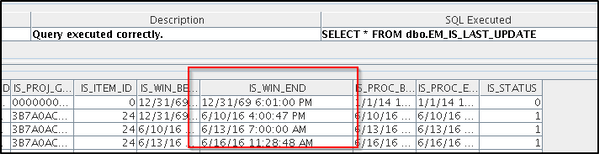
Prior to selecting the time window for the custom time window data load, check the IS_WIN_END column in the EM_IS_LAST_UPDATE table to ensure that no previous data load used the same end time. The custom time window will then work as expected.
ACTION
This issue has been fixed in Strategy 10.7 and 10.4 Hotfix 3. Upgrade to this version to take advantage of the fix.
The Strategy internal reference number for this issue is DE38063.
